Best Apple Pencil alternative options are better than ever in 2026. If we mainly write notes, mark up PDFs, sketch casually, or want a backup stylus, we no longer need to pay Apple Pencil prices to get a good experience.
In this guide, we compare eight strong picks for different needs and budgets. We focus on real buying factors: palm rejection, tilt support, pressure sensitivity, charging, battery life, app behavior, and day-to-day comfort. We also call out where each stylus falls short, because the best Apple Pencil alternative for a student may not be the best Apple Pencil alternative for a casual artist or an iPad power user.
To make this useful fast, we include pricing, fit-by-user, and clear trade-offs. That way, we can choose the right stylus without wasting money or settling for a frustrating writing experience.
1. Logitech Crayon: The Best Overall Apple Pencil Alternative For Most iPad Users
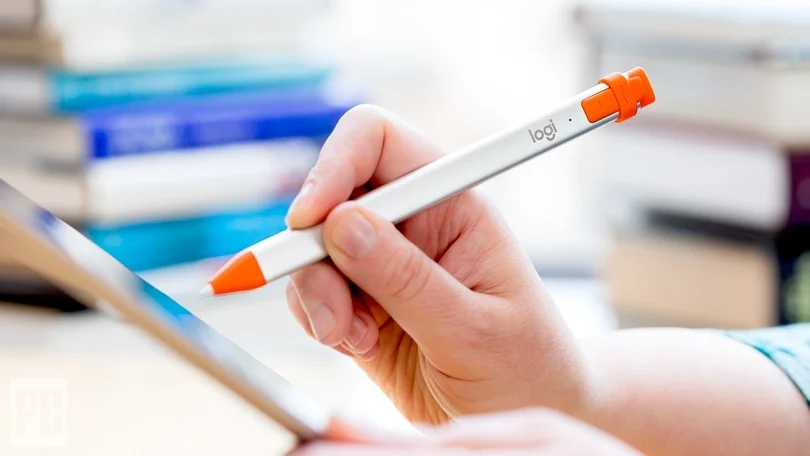
For most people, the Logitech Crayon is the best Apple Pencil alternative because it gets the basics right with very few headaches. It writes reliably, charges by USB-C, supports palm rejection on compatible iPads, and feels consistent in note apps like Goodnotes, Notability, and Apple Notes. At about $79, it is not the cheapest option, but it costs well below an Apple Pencil Pro while delivering a much more dependable experience than many low-cost clones.
A big reason we rank it first is predictability. We can hand it to a student in class, a parent annotating a PDF, or a professional signing forms, and it just works. There is no fussy Bluetooth pairing on most supported iPads, and the flat shape helps stop it rolling off a desk.
| Key spec | Logitech Crayon |
|---|---|
| Price | About $79 |
| Charging | USB-C |
| Battery life | Up to 7 hours |
| Palm rejection | Yes, on supported iPads |
| Tilt support | Yes |
| Pressure sensitivity | No |
| Best for | Notes, studying, daily writing |
If we want the best Apple Pencil alternative for broad everyday use, this is the safe pick. It also works well for casual touchscreen iPad games and creative sandbox apps on iPad, especially for younger users who switch between study and play.
Why It Stands Out For Students, Note-Takers, And Everyday Use
Students and note-takers need speed and reliability more than niche art features. The Logitech Crayon delivers both. In a 90-minute lecture, a stylus that skips once every few lines becomes annoying fast. The Crayon usually avoids that problem. Its line placement stays stable, and its latency feels low enough that handwriting looks natural instead of laggy.
It also handles real-life abuse well. Toss it in a backpack, use it in a library for 3 hours, recharge it over lunch, and keep going. That matters more than premium extras for many buyers.
Where does it lose points? It lacks pressure sensitivity, so shading and brush control feel limited in Procreate or Adobe Fresco. Casual doodling is fine. Detailed digital painting is not its strength. Still, for school, planning, journaling, and document markup, this best Apple Pencil alternative earns its spot by doing common tasks very well.
2. Zagg Pro Stylus 2: The Best Mid-Range Pick For Smooth Writing And Simple Navigation
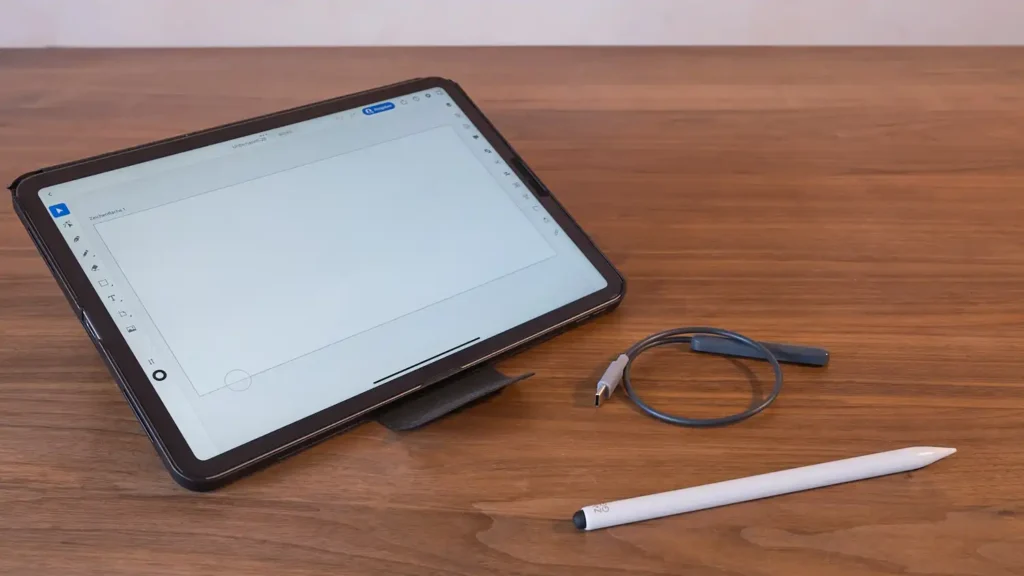
The Zagg Pro Stylus 2 sits in a sweet price zone at roughly $60 to $80. It is the best Apple Pencil alternative for buyers who want a cleaner, more polished feel than ultra-budget styluses but do not want to jump to Apple pricing. It supports tilt recognition, magnetic attachment on supported iPads, and about 10 hours of battery life.
What stands out is balance. Writing feels smooth, and general iPad navigation feels easy. If we switch often between handwritten notes, tapping menus, scrolling Safari, and marking up screenshots, the Zagg handles all of it well. It is a practical pick for students, office users, and anyone who uses an iPad as a daily productivity device.
| Key spec | Zagg Pro Stylus 2 |
|---|---|
| Price | About $60-$80 |
| Charging | USB-C |
| Battery life | Up to 10 hours |
| Palm rejection | Yes |
| Tilt support | Yes |
| Pressure sensitivity | No true advanced pressure system |
| Best for | Writing, navigation, productivity |
This best Apple Pencil alternative is especially appealing when we want premium-like comfort without premium cost.
A less common but useful point: the tip feel is controlled enough for long writing sessions. Some cheap styluses feel slippery on glass after 20 minutes. The Zagg stays more composed, which can reduce hand fatigue during a 12-page study review or a full afternoon of meeting notes.
3. Adonit Note+: The Best Apple Pencil Alternative For Casual Artists Who Want More Control
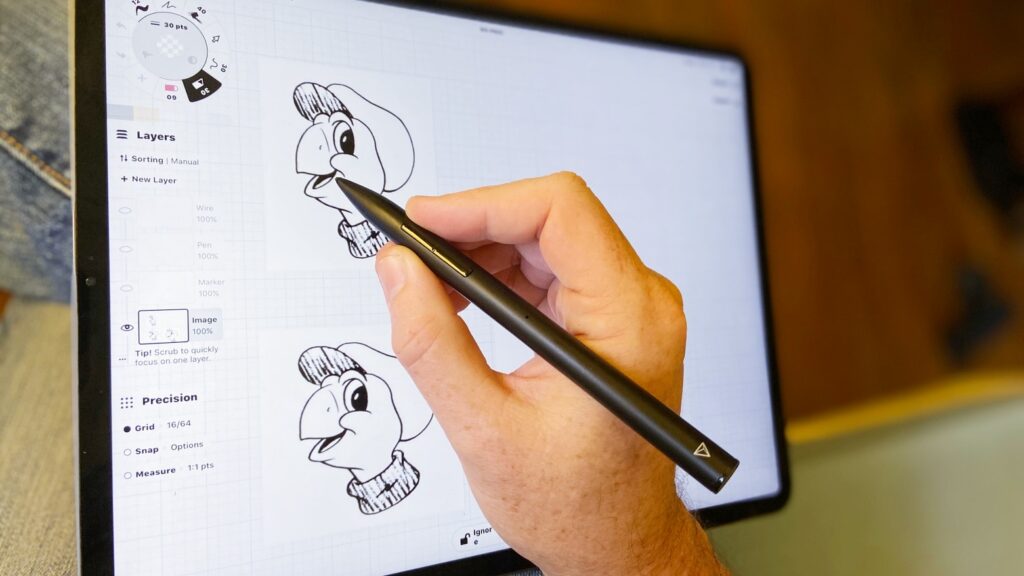
The Adonit Note+ is the best Apple Pencil alternative for casual artists who want more than simple writing. It adds 2,048 levels of pressure sensitivity, palm rejection, Bluetooth pairing, and programmable shortcut buttons. At around $50 to $70, it gives us creative tools that budget styluses usually skip.
For sketching, that pressure support matters. Thin-to-thick line variation feels far more natural than with note-focused pens. If we draw comics, concept thumbnails, lettering drafts, or light illustrations, the Note+ gives us better control over line weight and brush response.
| Key spec | Adonit Note+ |
|---|---|
| Price | About $50-$70 |
| Charging | USB-C |
| Battery life | Up to 10 hours |
| Palm rejection | Yes |
| Tilt support | Limited by app support |
| Pressure sensitivity | 2,048 levels |
| Best for | Casual art, sketching, creative work |
This best Apple Pencil alternative is not trying to beat Apple in every metric. It is trying to give artists enough control at a much lower price, and in that role it performs well.
Pressure Sensitivity, App Support, And Creative Trade-Offs
Pressure sensitivity sounds simple, but the real story is app support. On the Adonit Note+, pressure behavior depends heavily on the app. In supported apps, strokes can feel expressive and responsive. In unsupported apps, the stylus may act more like a basic pen. That means we should check our actual workflow before buying.
Here is the practical trade-off:
- Great for: sketching, rough illustration, visual note-taking, brush variation
- Less ideal for: users who want universal behavior across every iPad app
- Missing feature: no hover support
Think of it like a budget mechanical keyboard with great switches but selective software support. In the right setup, it feels excellent. In the wrong one, we leave performance on the table. For creators who want the best Apple Pencil alternative for art on a tighter budget, though, it stays one of the strongest options.
4. ESR Geo Digital Pencil: The Best Choice If You Want Find My Support
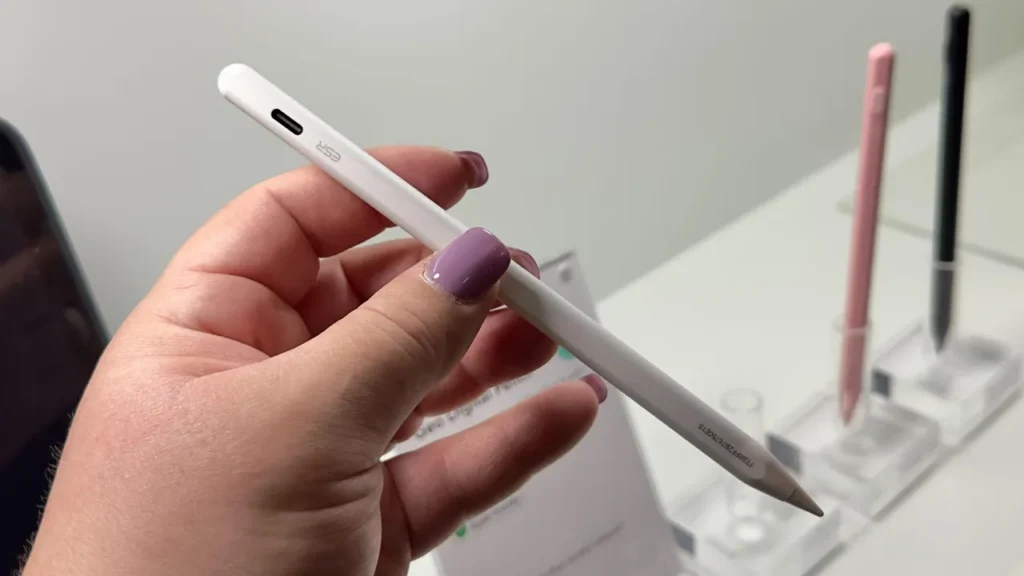
The ESR Geo Digital Pencil is one of the most interesting entries here because it aims at a problem many buyers forget until it happens: losing the stylus. This is a strong best Apple Pencil alternative for people who travel, commute, work between classrooms, or use their iPad in several rooms each day. Pricing usually lands around $33 to $37, which is excellent value.
It offers magnetic attachment, palm rejection, tilt support, USB-C charging, and around 10 hours of battery life. Writing performance is surprisingly solid for the price. In many note-taking scenarios, line smoothness feels close enough to pricier styluses that most users will not care about the gap.
| Key spec | ESR Geo Digital Pencil |
|---|---|
| Price | About $33-$37 |
| Charging | USB-C |
| Battery life | About 10 hours |
| Palm rejection | Yes |
| Tilt support | Yes |
| Magnetic attach | Yes |
| Best for | Value buyers, commuters, everyday writing |
A note on the source context: some listings and summaries confuse this category with Apple-only location features. The bigger point for us is simple: this best Apple Pencil alternative stands out because it focuses on practical ownership, not just specs on paper.
A feature many reviews miss is replacement cost psychology. If we carry a stylus between campus, office, train, and home, a $34 pen changes how stressful ownership feels. Losing a $129 accessory hurts. Losing a lower-cost alternative hurts less. That alone can make ESR the smartest best Apple Pencil alternative for busy users.
5. JamJake Stylus Pen: The Best Budget Apple Pencil Alternative For Basic Note-Taking
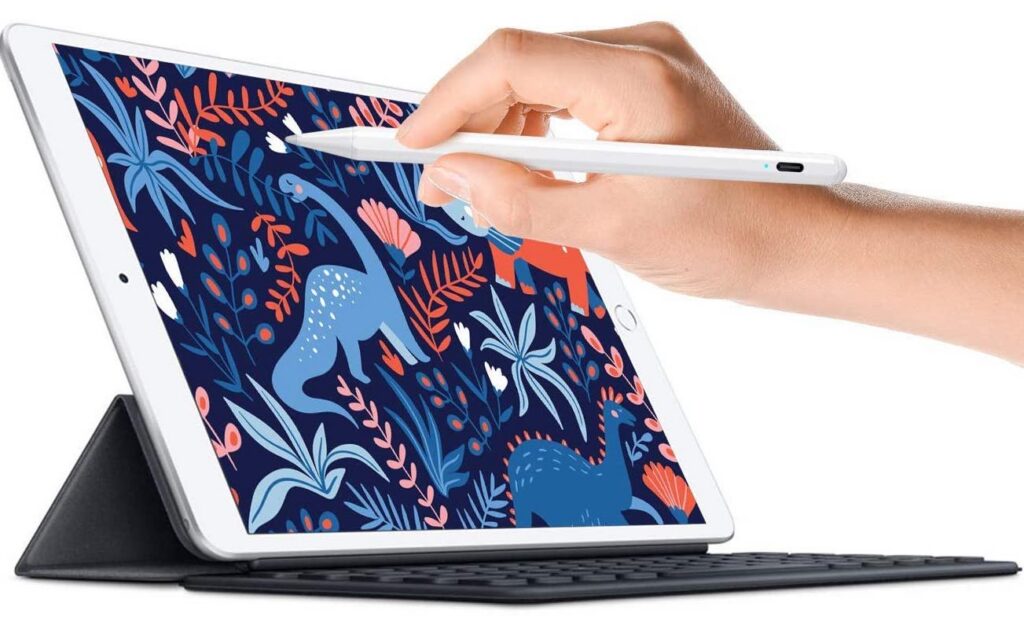
If price is the first filter, the JamJake Stylus Pen is the best Apple Pencil alternative for basic note-taking. It usually costs only $10 to $15, yet it still offers palm rejection, tilt support, and very fast charging. Some models can fully charge in about 13 minutes, which is unusually convenient at this price.
That value is hard to ignore. For a high school student, a family sharing one iPad, or someone who wants a backup stylus in a laptop sleeve, JamJake covers the essentials. We can write class notes, fill PDFs, annotate slides, and tap through apps without paying much.
| Key spec | JamJake Stylus Pen |
|---|---|
| Price | About $10-$15 |
| Charging | Fast USB charging |
| Full charge time | About 13 minutes |
| Palm rejection | Yes |
| Tilt support | Yes |
| Pressure sensitivity | No |
| Best for | Budget notes, backup use |
The trade-off is clear. Build quality, tip consistency, and long-term durability are not in the same league as Logitech or Zagg. If we write 5 pages a week, that may not matter. If we write 25 pages a week, it probably will.
This best Apple Pencil alternative proves a useful point: not every buyer needs pro features. Sometimes the right stylus is the one that handles Apple Notes, Goodnotes, and basic productivity for the lowest realistic cost.
6. SonarPen: The Best Wired Option For Creators Who Prioritize Pressure Sensitivity
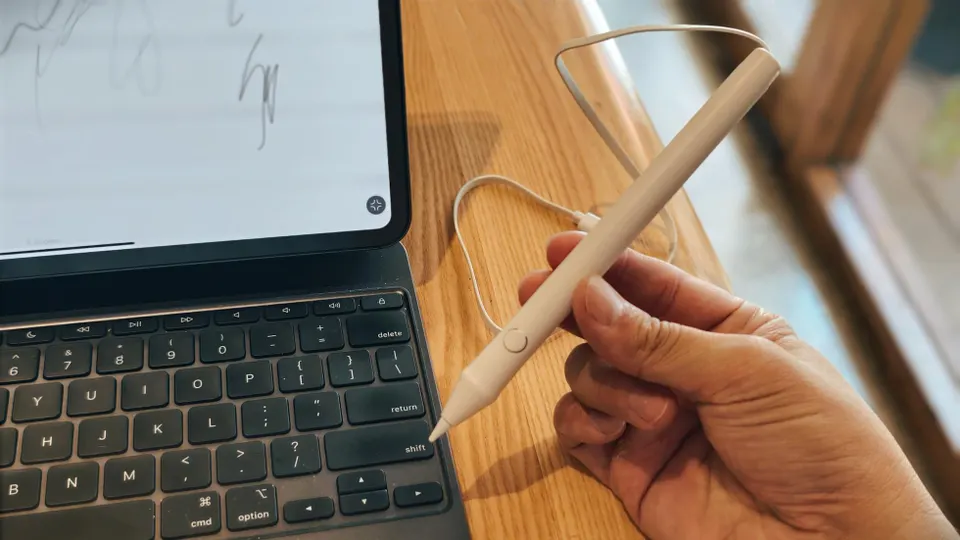
The SonarPen is the most unusual pick on this list, and that is exactly why it deserves attention. It is the best Apple Pencil alternative for creators who care more about pressure sensitivity than wireless freedom. Unlike most styluses here, SonarPen uses a wired connection, which removes battery anxiety and keeps input consistent.
At about $30 to $40, it offers strong value for artists who sketch for long sessions. No battery means no dead stylus during a drawing sprint. Plug it in and work. For some people, that sounds old-school. For others, it is a relief.
| Key spec | SonarPen |
|---|---|
| Price | About $30-$40 |
| Connection | Wired |
| Power | No battery needed |
| Pressure sensitivity | Yes |
| Palm rejection | App dependent |
| Best for | Drawing, long art sessions |
This best Apple Pencil alternative is not meant for everyone. It is less convenient for quick note-taking in a café or for standing use on a train. But at a desk, in a studio, or during a 2-hour illustration session, the cable can actually be a strength.
A standout benefit that many articles skip is consistency over time. Batteries degrade. Wired tools do not face that issue. If we want a stylus that behaves the same on day 300 as on day 3, SonarPen has a very practical edge.
7. MEKO Active iPad Stylus: The Best Low-Cost Backup Stylus For Everyday Tasks
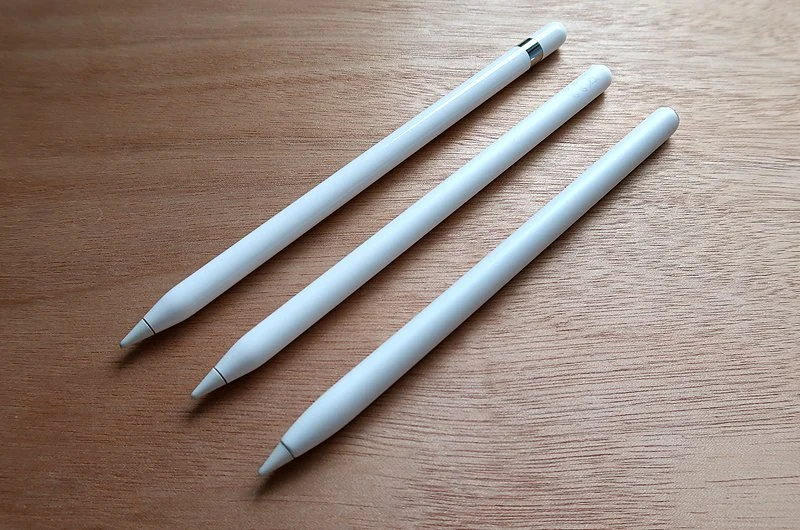
The MEKO Active iPad Stylus is a sensible best Apple Pencil alternative when we want a cheap backup that can handle daily tasks. It usually sells for $20 to $30 and often supports both active and passive-style use across iPad and some Android devices. That cross-device flexibility gives it a different role from more iPad-specific pens.
This is not a stylus we buy for advanced illustration. We buy it because backups matter. Maybe our main pen is charging. Maybe we keep one at work and one at home. Maybe we use multiple tablets in the same week. In those cases, MEKO makes sense.
| Key spec | MEKO Active iPad Stylus |
|---|---|
| Price | About $20-$30 |
| Charging | USB |
| Compatibility | iPad, some Android devices |
| Palm rejection | Limited by model |
| Pressure sensitivity | No advanced support |
| Best for | Backup use, light everyday tasks |
As a best Apple Pencil alternative, MEKO succeeds by being useful, not fancy. It can help us scroll documents, jot quick notes, sign forms, and mark up screenshots. If our main need is reliability in short bursts, it does the job.
Here is a smart use case many people overlook: keeping a MEKO in a conference room drawer or in a travel bag. A spare stylus can save a presentation, a signature request, or a study session when the main pen is missing.
8. Adonit SE 2: The Best Minimalist Stylus For Reliable Daily Writing
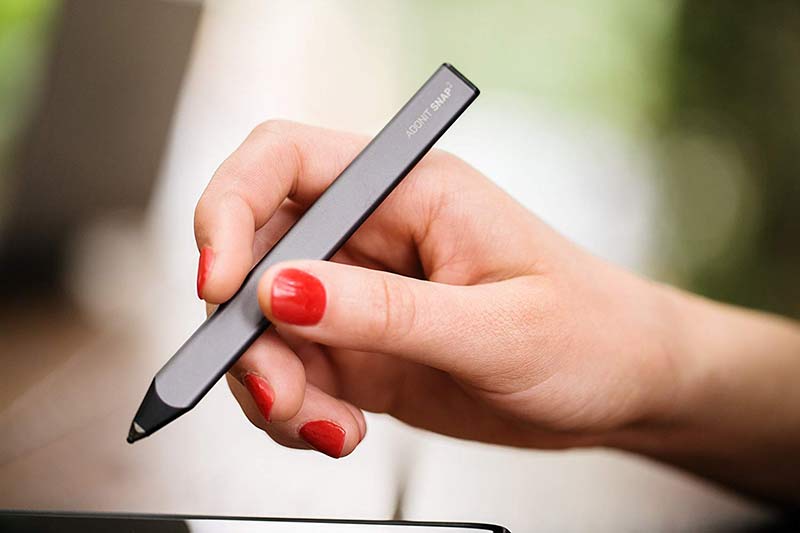
The Adonit SE 2 is the best Apple Pencil alternative for buyers who want a simple, clean writing tool with no extra setup. It usually costs $25 to $35, has a slim body, supports palm rejection, and charges by USB-C. It avoids unnecessary features and focuses on dependable daily writing.
That minimalist approach is the appeal. Some styluses try to sell themselves with buttons, pairing steps, app tweaks, and spec-sheet clutter. The Adonit SE 2 keeps the experience lighter. Pick it up, write, and move on. For journaling, to-do lists, lecture notes, and document edits, that is often enough.
| Key spec | Adonit SE 2 |
|---|---|
| Price | About $25-$35 |
| Charging | USB-C |
| Palm rejection | Yes |
| Bluetooth | No |
| Design | Slim and lightweight |
| Best for | Daily writing, simple note-taking |
As a best Apple Pencil alternative, the SE 2 wins by reducing friction. No Bluetooth also means fewer troubleshooting steps. That matters for buyers who want a stylus that behaves more like a pen and less like another device to manage.
Its limitation is clear: power users may want more controls, stronger art features, or magnetic extras. But if we value consistency, low cost, and a clean writing experience, this best Apple Pencil alternative closes the list on a very practical note.
Best Apple Pencil Alternative FAQs
What is the best Apple Pencil alternative for students and everyday note-taking?
The Logitech Crayon is the top Apple Pencil alternative for students and note-takers, offering reliable writing, USB-C charging, palm rejection, and tilt support for about $79, providing a dependable and consistent experience.
How does the Zagg Pro Stylus 2 compare as an Apple Pencil alternative for productivity?
Zagg Pro Stylus 2, priced around $60-$80, offers smooth writing, tilt sensitivity, palm rejection, magnetic attachment, and up to 10 hours of battery life, making it ideal for daily productivity and broad iPad use without Apple Pencil pricing.
Are there affordable Apple Pencil alternatives with pressure sensitivity suitable for casual artists?
Yes, the Adonit Note+ provides 2,048 levels of pressure sensitivity, palm rejection, and programmable buttons for around $50-$70, making it a strong choice for casual artists who want more control without paying Apple Pencil prices.
What features make the ESR Geo Digital Pencil a practical Apple Pencil alternative?
The ESR Geo Digital Pencil, costing about $33-$37, offers magnetic attachment, palm rejection, tilt support, and around 10 hours battery life, balancing smooth writing performance with value, perfect for commuters and everyday users.
Can I find a budget-friendly Apple Pencil alternative for basic note-taking?
The JamJake Stylus Pen is a budget option at $10-$15 with palm rejection, tilt support, and fast charging, sufficient for basic note-taking and annotation, though it lacks advanced pressure sensitivity and premium build.
What is the best Apple Pencil alternative for artists prioritizing pressure sensitivity and consistent performance?
The SonarPen is a wired stylus priced $30-$40 that offers reliable pressure sensitivity without battery concerns, ideal for creators focusing on long drawing sessions who want consistent input over time.