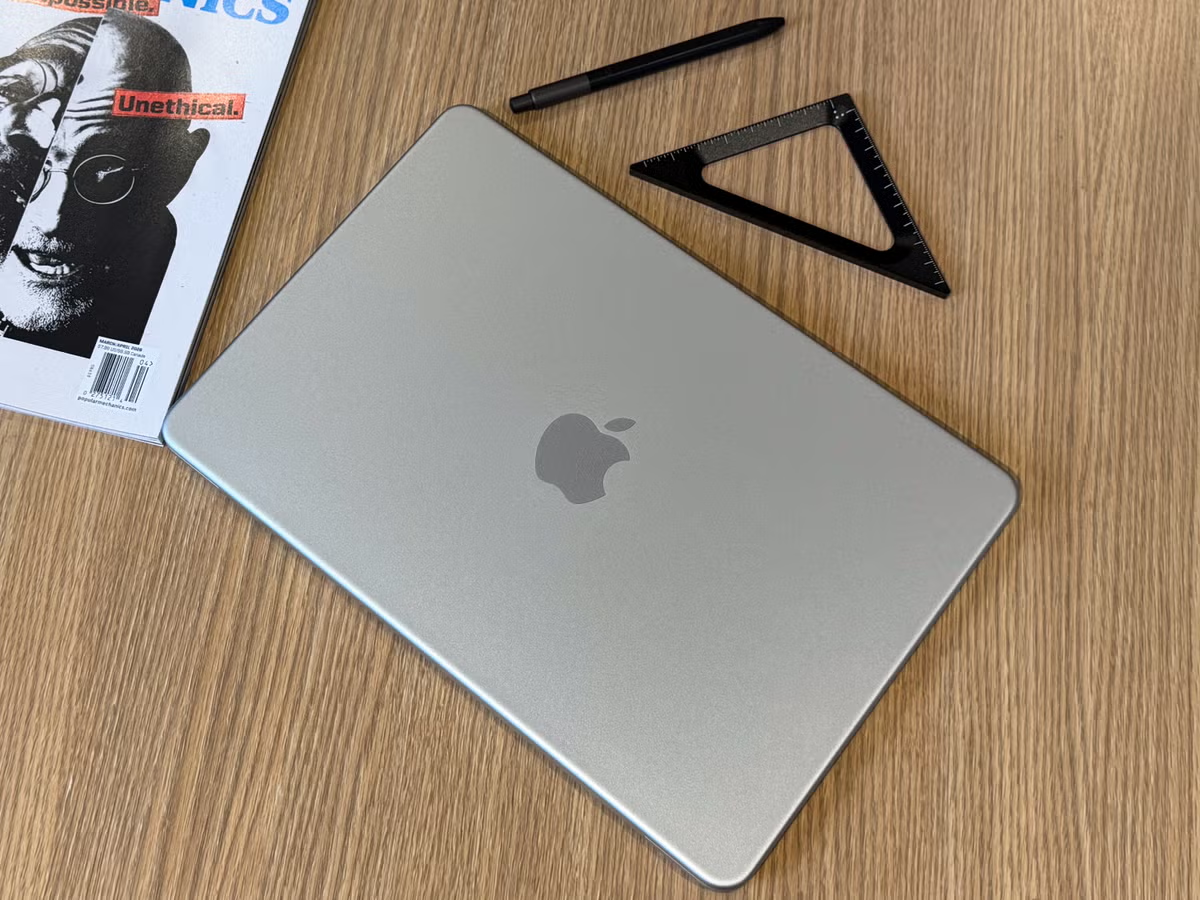
The MacBook Neo is Apple’s answer to a question buyers have been asking for years: can you get a real Mac for under $600? At $599 starting price, or just $499 for students, this is the most affordable Mac laptop Apple has ever sold. It runs the A18 Pro chip, ships with 8GB of unified memory, and sits inside a premium all-aluminum body.
That’s a lot of hardware for the money. But it also skips a backlit keyboard, caps RAM at 8GB, and sits one rung below the MacBook Air in Apple’s lineup. This MacBook Neo review breaks down exactly what you’re getting, where Apple made smart cuts, and whether this machine deserves a spot in your bag.
MacBook Neo at a Glance: Key Specs and What You’re Getting
Before diving into the details, here’s a snapshot of the MacBook Neo’s core specifications:
| Feature | MacBook Neo (2026) |
|---|---|
| Starting Price | $599 (standard) / $499 (education) |
| Display | 13.0-inch Liquid Retina |
| Processor | Apple A18 Pro |
| RAM | 8GB unified memory |
| Battery Life | Up to 16 hours |
| Weight | 2.7 lbs |
| Build | All-aluminum chassis |
| OS | macOS 26 Tahoe |
The MacBook Neo positions itself below the MacBook Air and MacBook Pro in Apple’s lineup. You get the same A18 Pro chip found in the iPhone 16 Pro, a processor that has no business being this capable in a sub-$600 laptop. The unified memory architecture means the CPU and GPU share a fast 8GB pool, which performs noticeably better than the equivalent in most Windows budget laptops.
What you won’t find here: a backlit keyboard, a MagSafe charging port, or a display larger than 13 inches. Apple made deliberate trade-offs to hit that price point, and most of them won’t affect the majority of users day-to-day. This MacBook Neo review will flag the ones that actually matter.
Design, Build Quality, and the No-Backlit-Keyboard Trade-Off
Pick up the MacBook Neo and you won’t feel like you’re holding a budget laptop. The all-aluminum chassis is the same premium construction Apple uses on the Air and Pro models. At just 2.7 pounds, it’s also Apple’s smallest current laptop, 0.26 inches narrower and 0.34 inches shallower than the M5 MacBook Air.
The design traces back to the silhouette Apple introduced with the 2021 M1 MacBook Pro, complete with curved corners, a single-finger counterbalanced hinge, and a full-size keyboard layout. The keyboard itself feels great, same key travel and tactile response as pricier MacBooks. The trackpad measures 4.75 inches wide, which is slightly smaller than what you get on the Air, but it’s still smooth, accurate, and responsive.
The no-backlit-keyboard issue is real. If you frequently type in dim rooms, lecture halls, or on overnight flights, you’ll notice the absence within a week. It’s the single most discussed trade-off in any MacBook Neo review, and for good reason, it’s an unusual omission on a laptop that otherwise feels premium.
That said, most casual users and students working in reasonably lit spaces won’t lose sleep over it. If you know your workflow involves a lot of low-light typing, factor that in before purchasing.
Real-World Performance: A18 Pro Chip, 8GB RAM, and Everyday Tasks
The A18 Pro chip is where the MacBook Neo surprises most people, and it’s one of the biggest highlights of this MacBook Neo review. Apple pulled this processor directly from the iPhone 16 Pro line, and it handles the tasks that 99% of users throw at a laptop without hesitation.
In everyday use, Chrome with 15 tabs open, Slack, video calls, Spotify streaming in the background, and Lightroom editing a batch of 40 RAW files, the MacBook Neo runs cool, quiet, and fast. There’s no fan in this machine, so you’ll never hear it spin up. That silent operation is a genuine quality-of-life improvement over budget Windows alternatives.
Light 4K video editing in Final Cut Pro is possible, but export times on a 10-minute 4K timeline run roughly 4 minutes longer than on an M4 MacBook Air. For YouTube creators editing 1080p content, you won’t notice the gap. For anyone cutting multi-camera 4K footage regularly, the Air is the smarter call.
The 8GB RAM Question: Enough for Students and Casual Pros?
For students writing papers, browsing research, running Microsoft Office, or attending Zoom lectures, 8GB is more than sufficient. macOS 26 Tahoe manages memory efficiently, and Apple’s unified memory architecture squeezes more performance from 8GB than you’d expect.
Where it strains: sustained 4K multi-cam editing, large Figma or Photoshop files above 800MB, and heavy software development with multiple Docker containers running simultaneously. In those scenarios, macOS begins leaning on disk swapping, which slows things down noticeably. The 8GB is not upgradeable post-purchase, so if you know your work trends toward any of those use cases, size up to the Air.
Display, Camera, Audio, and Trackpad Experience
The 13.0-inch Liquid Retina display is sharp, bright, and accurate, something this MacBook Neo review consistently found impressive at the $599 price point. Colors pop without oversaturation, and it handles everything from spreadsheets to streaming Netflix without complaint. Bezels are larger than on the Air, there’s no notch here, which gives the screen a slightly older feel visually, but it doesn’t affect usability in practice.
Peak brightness is strong enough for indoor use in most environments. You won’t want to use this on a sunny patio, but that’s true of most non-ProMotion panels at this price.
The webcam outperforms every budget Windows laptop in its class. Apple’s image processing pipeline handles skin tones and low-light conditions better than the 720p cameras found on $500–$700 Windows machines. For students on video calls or remote workers attending daily standups, it’s a noticeable step up.
Audio is clean and clear for a 13-inch machine, though bass response is limited, expected at this form factor. The speaker quality surpasses similarly priced Windows laptops by a clear margin.
The trackpad is one of the MacBook Neo’s quiet strengths. At 4.75 inches wide, it’s slightly smaller than the Air’s, but the Force Touch feedback and precision are identical to what Apple’s more expensive models offer. Combined with the full-size keyboard, the input experience on this machine punches well above its price.
Battery Life and Long-Term Durability
Apple rates the MacBook Neo at up to 16 hours of battery life. In real-world mixed use, web browsing, document editing, video calls, and light media, expect 12 to 14 hours consistently. That’s enough to cover a full school day or a long work-from-home stretch without reaching for a charger.
The A18 Pro chip’s power efficiency is a core reason for that runtime. Apple Silicon processors draw dramatically less power under load than comparable Intel or AMD chips, and the fanless design removes one more source of heat and energy drain.
Long-term durability is where the MacBook Neo’s premium build pays off. The all-aluminum chassis doesn’t flex, creak, or feel fragile under normal use. Apple’s manufacturing tolerances are tight, and there’s no reason to expect this laptop to feel any different 3 years from now than it does out of the box.
One caveat: the battery is non-user-replaceable. Apple charges around $129 for an out-of-warranty battery replacement. If you’re buying this for a student who plans to use it through 4 years of college, factor in a likely battery service between years 3 and 4.
macOS 26 Tahoe, Apple Intelligence, and Software Ecosystem
The MacBook Neo ships with macOS 26 Tahoe, Apple’s latest operating system. Tahoe brings a refreshed UI with cleaner window management, updated system apps, and deeper integration with Apple Intelligence, Apple’s suite of on-device AI features. One of the clearest takeaways from this MacBook Neo review is that the software experience feels far more premium than the laptop’s entry-level price suggests.
Apple Intelligence on the MacBook Neo includes Writing Tools (rewrite, summarize, and proofread text across any app), Priority Notifications (surfaces the most time-sensitive alerts), and Smart Reply in Mail and Messages. These features run on-device using the A18 Pro’s Neural Engine, which processes up to 35 trillion operations per second. No cloud round-trip required, which keeps your data private and the response times fast.
For students, the Writing Tools feature alone is practically worth the price of admission. It works inside Pages, Word, Google Docs in Safari, and most text fields across macOS.
Beyond AI features, you get the full macOS software ecosystem: Logic Pro, Final Cut Pro, Xcode (for students learning development), iMovie, GarageBand, and compatibility with every major productivity suite. Windows switchers will find the app quality on macOS consistently higher than Windows equivalents, particularly for creative and productivity tools.
The MacBook Neo runs all standard macOS applications without compromise, there’s no software penalty for choosing the entry-level model. Users comparing new models with places to Buy Refurbished MacBook options will still get the same full macOS software ecosystem and Apple Intelligence experience on the Neo.
MacBook Neo vs. MacBook Air: Which One Should You Actually Buy?

This is the core question for most buyers. Here’s a direct comparison:
| Feature | MacBook Neo | MacBook Air (M5) |
|---|---|---|
| Price | From $599 | From $1,099 |
| Chip | A18 Pro | M5 |
| RAM | 8GB | 8GB–24GB |
| Display | 13.0-inch Liquid Retina | 13.6-inch Liquid Retina |
| Keyboard Backlight | No | Yes |
| MagSafe Charging | No | Yes |
| Battery | Up to 16 hrs | Up to 18 hrs |
| Weight | 2.7 lbs | 2.7 lbs |
| Best For | Students, casual users | Pro workflows, heavy multitasking |
Choose the MacBook Neo if: you’re a student, a first-time Mac buyer, or someone whose daily use is browsing, email, streaming, writing, and light photo work. The $500 price difference is substantial, and most users will never feel the performance gap.
Choose the MacBook Air if: you regularly edit 4K video, work in large Figma or Illustrator files, run multiple virtual machines, or need the backlit keyboard and MagSafe charging as non-negotiables.
For the majority of this review’s target audience, students and casual users, the MacBook Neo is the smarter purchase. You get 90% of the Air’s experience at 55% of the price.
Pros and Cons
Pros:
- Exceptional value at $599, the most affordable Mac laptop ever
- Premium all-aluminum build that matches more expensive models
- A18 Pro chip handles everyday tasks without hesitation
- Up to 16 hours of battery life (12–14 hours in real-world use)
- Full-size keyboard with excellent feel and key travel
- Liquid Retina display with accurate, vivid color
- Apple Intelligence features run fully on-device
- macOS 26 Tahoe ships with the full Mac software ecosystem
- Fanless design means completely silent operation
Cons:
- No backlit keyboard, a real limitation in low-light environments
- 8GB RAM is not upgradeable after purchase
- Trackpad is 4.75 inches wide, slightly smaller than the MacBook Air
- 13.0-inch screen is 0.6 inches smaller than the Air’s 13.6-inch display
- No MagSafe or dedicated charging port, uses USB-C only
- Larger bezels compared to the Air give the display a slightly dated look
- Not suited for sustained professional video production or heavy development
The cons list is longer than the pros list, but context matters: most of those trade-offs are only relevant to specific workflows. For the buyer this laptop is designed for, the pros dominate.
Who Is the MacBook Neo For?
The MacBook Neo is purpose-built for a specific kind of buyer, and it’s worth being direct about who that is. This part of the MacBook Neo review matters more than raw benchmark scores because the laptop succeeds or fails based on whether your workflow matches Apple’s intended audience.
This laptop is an excellent fit for:
- High school and college students who need a fast, reliable machine for coursework
- First-time Mac buyers switching from Windows on a budget
- Remote workers whose daily stack is email, video calls, Google Workspace, and light document editing
- Parents buying a capable laptop for their child that will last 3–4 years
- Writers, bloggers, and content creators whose main tool is a text editor and browser
This laptop is not the right fit for:
- Video editors cutting multi-camera 4K projects regularly
- Graphic designers working in large Illustrator or InDesign files
- Developers running resource-heavy local environments or multiple Docker containers
- Anyone who types in low-light conditions daily and considers keyboard backlighting non-negotiable
If your use case falls in the first group, the MacBook Neo delivers genuine Mac quality at a price that used to be impossible for Apple hardware. It’s not a compromised laptop that happens to be cheap, it’s a confident, well-built machine with a focused set of trade-offs.
Verdict: The MacBook Neo earns a strong recommendation for its target audience. At $599, it’s the most accessible entry point into the Mac ecosystem Apple has ever offered, and it doesn’t embarrass itself doing it.
Frequently Asked Questions About the MacBook Neo Review
Is the MacBook Neo worth buying compared to the MacBook Air?
The MacBook Neo is worth it for students, casual users, and first-time Mac buyers. You get 90% of the Air’s experience at 55% of the price ($599 vs. $1,099). Choose the Air only if you regularly edit 4K video, work in large design files, or need a backlit keyboard and MagSafe charging.
What is the main trade-off on the MacBook Neo to hit the $599 price point?
The primary trade-off is the lack of a backlit keyboard, which affects low-light typing. Additional cuts include no MagSafe charging, non-upgradeable 8GB RAM, a slightly smaller trackpad, and larger bezels. Most casual users won’t be affected by these limitations.
Can you upgrade RAM or storage on the MacBook Neo after purchase?
No. Both RAM and storage are soldered to the motherboard and cannot be upgraded post-purchase. You must choose your specifications when buying the MacBook Neo, so plan ahead based on your needs.
How does the MacBook Neo perform with video editing and creative work?
The A18 Pro chip handles light 4K video editing, but export times run ~4 minutes longer than the M4 MacBook Air on a 10-minute timeline. It’s ideal for 1080p YouTube creators and photo editing, but sustained multi-cam 4K work favors the Air.
How much battery life does the MacBook Neo actually get in real-world use?
Apple rates it at up to 16 hours, but real-world mixed use (browsing, email, video calls, light media) delivers 12–14 hours consistently. This covers a full school day or long work-from-home session without charging.
Does the MacBook Neo support external monitors and multiple displays?
Yes, the MacBook Neo supports one external display via USB-C/Thunderbolt. It does not support dual external displays simultaneously, unlike the MacBook Air or Pro models.