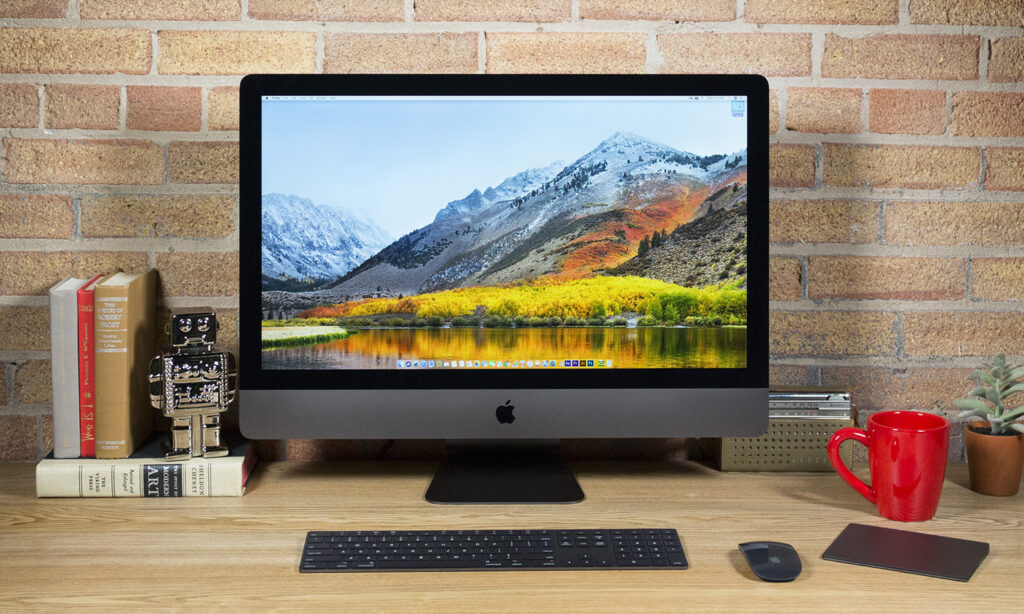
The iMac Pro i7 4K remains one of the most talked-about refurbished desktop options in 2026, and for good reason. Apple’s 21.5-inch Retina 4K iMac from 2017 packed serious hardware into a slim, elegant frame that still turns heads today.
Whether you’re a creative professional hunting for a budget workstation, a student setting up a home office, or an Apple ecosystem loyalist not ready to commit to M-series pricing, this machine deserves a hard look before you buy. Here’s everything you need to know.
What Is the iMac Pro i7 4K and Who Is It For?
The iMac Pro i7 4K refers to Apple’s 21.5-inch Retina 4K iMac (Mid-2017, model A2116), powered by a 3.6 GHz Intel Core i7-7700, a Kaby Lake quad-core chip with Turbo Boost up to 4.2 GHz. This isn’t the pro-grade iMac Pro with Xeon processors: it’s the high-end configuration of the standard 21.5-inch line, positioned as a capable creative workstation at a more accessible price.
Apple originally aimed this machine at photographers, video editors, graphic designers, and CAD users who needed a 4K-capable desktop without a full Mac Pro budget. In 2026, that audience has expanded. Refurbished Mac buyers, home-office professionals, and budget-conscious shoppers now make up a large share of the people researching this model, particularly those running Intel-specific software that hasn’t been optimized for Apple Silicon.
If your workflow involves 4K photo retouching, color grading, or light 3D modeling, the iMac Pro i7 4K still fits the brief, provided you manage expectations around modern efficiency.
Design, Display, and the Retina 4K Experience
The iMac Pro i7 4K ships in Apple’s signature aluminum unibody chassis, a single sculpted shell with edges measuring just 5mm at their thinnest point. The adjustable curved stand lets you tilt the screen to a comfortable angle, though height adjustment isn’t available without a VESA mount adapter. It’s compact, clean, and holds up visually against newer desktops in 2026.
The real draw is the 21.5-inch Retina 4K IPS display. With a native resolution of 4096 × 2304, 500 nits of brightness, P3 wide color gamut, and support for approximately 1 billion colors, this panel is genuinely impressive, even by current standards. Text is razor-sharp, gradients are smooth, and color accuracy is excellent for creative work.
By default, macOS pixel-doubles the display to render content at an effective 2048 × 1152, which keeps UI elements crisp and readable. For photo editing and video work, the P3 color coverage gives you a meaningful advantage over standard sRGB monitors at a similar price point.
Performance: What the Intel Core i7 Delivers in Real-World Use
The Core i7-7700 inside the iMac Pro i7 4K is a quad-core chip with Hyper-Threading, giving you 8 logical threads and 8MB of L3 cache. In 2017, that was a strong configuration. In 2026, it still handles a wide range of tasks without breaking a sweat, as long as you’re not pushing the latest AI-accelerated creative tools.
Real-world performance benchmarks (approximate, 2026 context):
| Task | Performance Level | Notes |
|---|---|---|
| 4K video editing (Final Cut Pro) | Good | Smooth with H.264/HEVC: render times lag behind M-series |
| Photo retouching (Lightroom/Photoshop) | Very Good | Handles large RAW files well |
| CAD / 3D modeling (light) | Moderate | Radeon Pro 560 limits heavier scenes |
| Web browsing & productivity | Excellent | No issues whatsoever |
| Running Intel-native software | Excellent | No Rosetta 2 translation needed |
The paired Radeon Pro 555 or 560 GPU (2–4GB VRAM) delivers up to three times the graphics performance of the prior 21.5-inch iMac generation. That’s enough for 4K display driving, casual VR, and GPU-accelerated exports, but don’t expect it to compete with a dedicated graphics card or Apple’s M4 GPU cores.
Ports, Connectivity, and Everyday Usability
Connectivity is one area where the iMac Pro i7 4K holds its own surprisingly well. The rear panel includes four Thunderbolt 3 (USB-C) ports, four USB-A 3.0 ports, Gigabit Ethernet, a headphone jack, and an SDXC card slot. Wireless connectivity covers 802.11ac Wi-Fi and Bluetooth 4.2.
Port overview at a glance:
| Port / Connection | Count / Spec |
|---|---|
| Thunderbolt 3 (USB-C) | 4 |
| USB-A 3.0 | 4 |
| Gigabit Ethernet | 1 |
| SDXC Card Slot | 1 |
| Wi-Fi | 802.11ac |
| Bluetooth | 4.2 |
The Thunderbolt 3 ports support one external 5K display or two 4K displays at 60Hz, a genuinely useful feature if you want a multi-monitor creative setup. USB-A ports mean you won’t need dongles for older peripherals, which is a practical advantage many users still appreciate. Day-to-day usability is smooth, and the included Magic Keyboard and Magic Mouse (or Magic Trackpad) integrate cleanly into the Apple ecosystem.
RAM, Storage, and Upgrade Limitations
The iMac Pro i7 4K shipped with DDR4-2400 RAM in 8GB, 16GB, or 32GB configurations. Unlike the 27-inch iMac, the 21.5-inch model’s RAM is soldered to the logic board on most configurations, meaning upgrades after purchase range from difficult to impossible depending on the specific unit.
Storage options included a 1TB HDD or a Fusion Drive (HDD + small SSD cache). Neither holds up well in 2026 compared to the NVMe SSDs standard in current Macs. A Fusion Drive reads quickly for cached files but can feel sluggish for cold launches. A pure HDD configuration will feel noticeably slow by today’s standards.
| Configuration | RAM | Storage | Upgrade Possible? |
|---|---|---|---|
| Base | 8GB DDR4 | 1TB HDD | RAM: No / Storage: Limited |
| Mid | 16GB DDR4 | Fusion Drive | RAM: No / Storage: Limited |
| High-end | 32GB DDR4 | Fusion Drive | RAM: No / Storage: Limited |
If you’re buying a refurbished iMac Pro i7 4K, prioritize units with at least 16GB RAM and a Fusion Drive. It makes a real difference.
Value in 2026: New vs. Refurbished Buying Considerations
Apple discontinued the 21.5-inch iMac line with Intel chips in 2021, so you won’t find a new iMac Pro i7 4K at any Apple Store. Your only options in 2026 are third-party refurbishers, certified resellers, or the used market, where prices typically range from around $500 to $1,000 depending on configuration and condition.
iMac Pro i7 4K vs. modern alternatives (2026):
| Factor | iMac Pro i7 4K (2017) | Apple iMac M4 (2024) |
|---|---|---|
| Processor | Intel Core i7-7700 | Apple M4 (10-core) |
| Display | Retina 4K, P3, 500 nits | Retina 4.5K, P3, 500 nits |
| RAM | Up to 32GB DDR4 | Up to 32GB unified |
| Storage | HDD / Fusion Drive | SSD (NVMe) |
| Estimated Price (2026) | $500–$1,000 (refurbished) | $1,299+ (new) |
| Intel Software Support | Native | Via Rosetta 2 |
For Intel-native software users, the iMac Pro i7 4K avoids the compatibility friction of Rosetta 2 translation. For anyone starting fresh, an Apple Silicon iMac offers dramatically better performance-per-watt and long-term software support. The refurbished i7 4K makes the most sense for budget-driven buyers, legacy workflow users, or those equipping secondary workstations.
Conclusion
The iMac Pro i7 4K is a well-built, visually stunning machine that still performs credibly for photo editing, 4K video work, and everyday computing. In 2026, it’s best suited as a cost-effective refurbished buy for legacy Intel workflows or budget-conscious creative setups. If you’re starting fresh and budget allows, an Apple Silicon iMac delivers better long-term value. But for the right buyer, the iMac Pro i7 4K still has real life left in it.
Frequently Asked Questions About the iMac Pro i7 4K
What is the iMac Pro i7 4K and what processor does it have?
The iMac Pro i7 4K is a 21.5-inch Retina 4K iMac (Mid-2017) powered by a 3.6 GHz Intel Core i7-7700 quad-core processor with Turbo Boost up to 4.2 GHz. It’s designed for creative professionals needing 4K-capable editing without Mac Pro pricing, paired with a Radeon Pro 555 or 560 GPU.
Is the iMac Pro i7 4K still good for 4K video editing in 2026?
Yes, the iMac Pro i7 4K handles 4K video editing well with Final Cut Pro and similar tools using H.264/HEVC codecs. However, render times lag behind modern M-series Macs. It remains viable for creative workflows, though newer Apple Silicon alternatives offer dramatically better efficiency.
Can you upgrade the RAM and storage on the iMac Pro i7 4K?
RAM upgrades are difficult to impossible on most configurations since it’s soldered to the logic board. Storage is limited—you get a 1TB HDD or Fusion Drive, neither matching modern NVMe speeds. When buying refurbished, prioritize units with at least 16GB RAM and a Fusion Drive.
How many external displays can the iMac Pro i7 4K support?
The iMac Pro i7 4K has four Thunderbolt 3 ports that support one external 5K display or two 4K displays at 60Hz, making it suitable for multi-monitor creative setups without additional adapters.
Where can I buy an iMac Pro i7 4K in 2026, and what’s the typical price?
The iMac Pro i7 4K was discontinued in 2017 and isn’t available new from Apple. You’ll find refurbished units through third-party resellers and the used market, typically priced between $500–$1,000 depending on configuration and condition.
Should I buy a refurbished iMac Pro i7 4K or upgrade to an Apple Silicon iMac?
The refurbished iMac Pro i7 4K is ideal for budget-conscious buyers, legacy Intel software workflows, or secondary workstations. However, if you’re starting fresh and budget allows, an Apple Silicon iMac M4 offers superior performance-per-watt, better long-term support, and faster storage.