
Choosing Jira vs Basecamp is one of the most common
project management decisions teams face today. On the surface, both tools help
you organize work, collaborate with teammates, and track progress. But beneath
that surface, they serve very different audiences and operate on entirely
different philosophies.
Jira, developed by Atlassian, is a feature-rich platform
purpose-built for software development and agile teams. Basecamp, created by
37signals champions simplicity and all-in-one communication for general business
teams.
Let’s break down Jira vs Basecamp across every key
category, including features, pricing, ease of use, integrations, and ideal use
cases, so you can make a confident, informed decision for your team.
Closer Look at Jira?
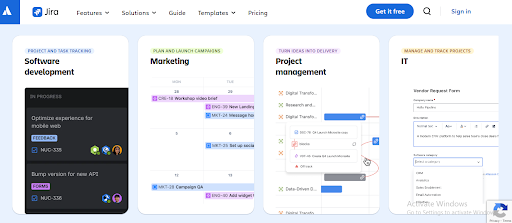
Jira is a project tracking and issue management platform
developed by Atlassian, an Australian software company founded in 2002.
Originally designed as a bug tracker, Jira has evolved into a comprehensive
agile project management suite trusted by over 65,000 organizations worldwide.
Jira is particularly well-suited to software engineering teams
that follow agile methodologies like Scrum and Kanban. It provides deep
customization, powerful automation, and a vast marketplace of integrations that
make it one of the most capable project management tools available.
Core Jira Features in Jira vs Basecamp Comparison
- Scrum & Kanban Boards: Plan
and visualize sprints or continuous workflows with fully customizable boards. - Backlog Management: Prioritize
issues and plan future work with a dedicated backlog view. - Advanced Roadmaps: Create
cross-team, multi-project timelines available on Premium and above. - Issue & Bug Tracking: Log,
assign, and track bugs, tasks, stories, and epics in a structured hierarchy. - Automation Rules: Automate
repetitive actions such as status changes, notifications, and assignments. - Custom Workflows: Design
complex, multi-stage workflows tailored to your team’s process. - Reporting & Dashboards: Access
velocity charts, burndown charts, sprint reports, and custom dashboards. - Atlassian Intelligence: AI-powered
features for content generation, search, and workflow suggestions (available only in paid plans).
|
|
Key Jira’s strength lies in its |
Understanding Basecamp?
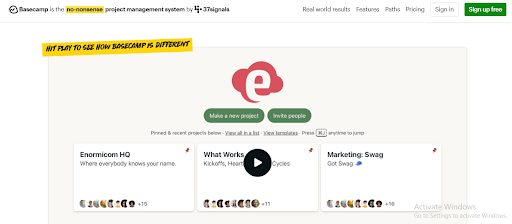
Basecamp is a web-based project management and team
collaboration tool developed by 37signals, a company founded in 1999. It
operates on a philosophy of simplicity, aiming to reduce the complexity that
many teams experience with feature-heavy tools.
Rather than offering deep customization or specialized agile
tooling, Basecamp focuses on bringing all essential collaboration tools into
one easy-to-navigate space. It is commonly adopted by small businesses,
creative agencies, marketing teams, and remote-first organizations.
Core Basecamp Features in Jira vs Basecamp Comparison
- To-Do Lists: Create and assign
tasks with due dates and notes, keeping work organized per project. - Message Boards: Replace
scattered emails with organized, threaded discussions tied to each project. - Campfire (Team Chat): A
real-time group chat feature built directly into every project. - Card Tables: A Kanban-style
board for visualizing task progress across stages. - Schedules: Track project
milestones and deadlines with a shared calendar view. - Hill Charts: A unique visual
tool to represent progress as tasks move from planning to completion. - Automatic Check-ins: Scheduled
prompts that ask team members for status updates, replacing repetitive
standups. - File & Document Sharing: Centralize
all project files, images, and documents in one accessible location.
|
|
Key Basecamp’s “less is |
Jira vs Basecamp: Feature-by-Feature Comparison
|
Feature |
Jira |
Basecamp |
|
Kanban |
Yes |
Yes (Card Tables) |
|
Scrum |
Yes |
No |
|
Sprint |
Yes |
No |
|
Task |
Yes |
No |
|
Subtasks |
Yes |
No |
|
Gantt / |
Yes (Premium+) |
Yes (basic) |
|
Milestones |
Yes |
No |
|
Built-in |
Yes (paid plans) |
Add-on only |
|
Automation |
Yes |
Very limited |
|
Custom |
Yes (highly flexible) |
No |
|
Reporting |
Advanced |
Basic |
|
Message |
No (Comments) |
Yes |
|
Team Chat |
Via integrations |
Yes (Campfire) |
|
Client |
Limited |
Free guest access |
|
AI |
Atlassian Intelligence |
No |
Ease of Use & Learning Curve
Understanding how quickly your team can adapt to a new platform is crucial when choosing a project management tool. Ease of use directly affects productivity, onboarding time, and overall team adoption, especially when comparing Jira vs Basecamp.
Jira
Jira carries one of the steeper learning curves among project
management tools. New users often find the interface dense, with terminology
like epics, stories, sprints, and velocity that may be unfamiliar outside
software development contexts. Configuring workflows, automation rules, and
permission schemes can take considerable time.
That said, experienced agile practitioners and development
teams generally find Jira’s depth invaluable once they are up to speed.
Atlassian offers extensive documentation, tutorials, and a large community to
support onboarding.
Basecamp
Basecamp is designed for non-technical users. Its
interface is clean and intuitive, organized around a predictable structure of
projects containing to-dos, messages, files, schedules, and chat. Most teams
can reach full productivity within a day or two of first use.
The tradeoff is limited flexibility. Users who want custom
workflows or more granular task management may eventually find Basecamp’s
simplicity to be a constraint rather than an advantage.
|
|
Verdict: Basecamp wins on ease of |
Jira vs Basecamp – Pricing Comparison
|
Tool |
Plan |
Price |
Best For |
|
Jira |
Free |
$0 (up to 10 users) |
Small teams/testing |
|
Jira |
Standard |
~$7.91/user/mo |
Growing teams |
|
Jira |
Premium |
~$14.54/user/mo |
Large, complex projects |
|
Jira |
Enterprise |
Custom pricing |
Enterprise / 800+ users |
|
Basecamp |
Free |
$0 (1 project) |
Solo / individual use |
|
Basecamp |
Plus |
$15/user/mo |
Small-medium teams |
|
Basecamp |
Pro Unlimited |
$299/mo flat (annual) |
Large teams |
* Prices listed
are approximate as of early 2026. Jira pricing varies by user tier and is
subject to periodic increases. Confirm current rates on official websites.
|
|
Pricing For a team of 30 users, |
Integrations & Ecosystem of Jira vs Basecamp
Both Jira and Basecamp offer integrations that extend their core functionality, but the size of their ecosystems and level of customization differ significantly, making this an important factor for teams choosing between flexibility and simplicity.
Jira
Jira benefits from the broad Atlassian ecosystem. It
integrates natively with Confluence (documentation), Bitbucket (version
control), Trello, and Opsgenie. Beyond Atlassian tools, the Atlassian
Marketplace offers over 3,000 apps and integrations, including GitHub, GitLab,
Slack, Salesforce, Zendesk, and hundreds more.
Jira also supports REST APIs for custom integrations, making
it highly extensible for enterprise environments. However, many Marketplace
apps carry additional per-user fees, which can meaningfully increase the total
cost.
Basecamp
Basecamp’s native integration library is more limited, with
around 70 to 75 third-party app connections available through services like
Zapier and Make. Common integrations include tools for time tracking (Harvest,
Everhour), email (Gmail, Outlook), and cloud storage (Google Drive, Dropbox).
Notably, Basecamp does not offer a built-in time tracking
feature. Teams that require time tracking generally need to purchase a separate
add-on or use a third-party integration, which adds to overall costs.
|
|
Verdict: Jira is the clear winner |
Jira vs Basecamp Agile Project Management Support
Choosing the right project management tool often depends on how well it supports agile methodologies such as Scrum or Kanban, especially for teams that rely on structured workflows, sprint cycles, and continuous delivery.
Jira
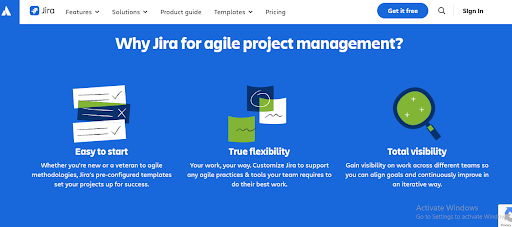
Jira is arguably the most widely adopted agile project
management tool in software development. It offers full support for Scrum,
including sprint planning, sprint reviews, sprint retrospectives, and velocity
tracking. Kanban boards are also available with work-in-progress limits and
cumulative flow diagrams.
Teams can manage epics, user stories, tasks, and sub-tasks in
a structured hierarchy. Advanced Roadmaps (available on Premium and above)
allow planning across multiple teams and projects on a single timeline view.
Basecamp
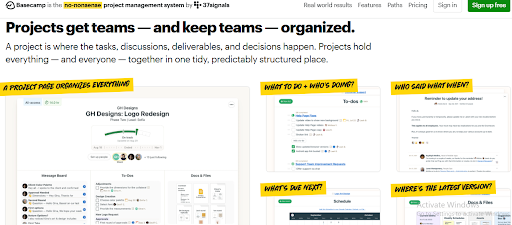
Basecamp is not designed primarily for agile development.
While it offers Card Tables as a basic Kanban-style view, it lacks sprints,
backlog management, story points, velocity tracking, or any Scrum-specific
tooling. Its project management approach is better described as to-do-based
rather than methodology-driven.
For teams that do not follow a formal agile methodology, this
may not be a disadvantage. General project managers, marketers, and creative
teams often find Basecamp’s flexible to-do system entirely adequate for their
workflows.
|
|
Verdict: Jira is the definitive |
Reporting, Analytics & Project Visibility
Understanding how each platform handles reporting and analytics is essential for teams that rely on data-driven insights to track progress, optimize workflows, and communicate performance clearly to stakeholders.
Jira
Jira provides a comprehensive suite of built-in reports
including burndown charts, sprint reports, velocity charts, cumulative flow
diagrams, and release burnup charts. Custom dashboards allow teams to display
the metrics most relevant to their workflow.
On the Premium plan and above, Atlassian Analytics offers
cross-project and cross-team insights. These capabilities make Jira
particularly valuable for organizations that need to track performance over
time and report to stakeholders.
Basecamp
Basecamp’s reporting capabilities are relatively basic. Teams
can view project progress through the built-in Hill Charts and monitor upcoming
deadlines via the Schedule view. There are no sprint reports, velocity
tracking, or customizable analytics dashboards.
For teams that need executive-level reporting or data-driven
project insights, Basecamp’s native tools are generally insufficient and
typically require exporting data to spreadsheets or using third-party reporting
add-ons.
|
|
Verdict: Jira wins significantly on |
Jira: Pros and Cons
|
Pros |
Cons |
|
Full agile support (Scrum, |
Steep learning curve for |
|
Highly customizable |
Can be complex to configure |
|
Advanced reporting and |
Costs increase |
|
Massive integration |
Per-user pricing becomes |
|
Scales well for large |
Not ideal for non-technical |
|
Native Atlassian product |
Performance can slow on |
|
Free plan for up to 10 |
No built-in team messaging |
|
AI features on paid plans |
Server/Data Center support |
Basecamp: Pros and Cons
|
Pros |
Cons |
|
Extremely easy to set up |
No native Scrum or sprint |
|
All-in-one communication |
No task dependencies or |
|
Flat-rate pricing ideal for |
Limited reporting and |
|
Free guest access for |
No built-in time tracking |
|
Automatic check-in feature |
Very limited automation |
|
Clean, uncluttered |
No Gantt charts on base |
|
30-day free trial, no |
Less suitable for complex |
|
Consistent pricing over |
Free plan limited to one |
Ideal Use Cases of Jira vs Basecamp
Choosing between Jira and Basecamp often comes down to how complex your projects are and how structured your workflow needs to be. Below are the scenarios where each platform delivers the most value.
When to Choose Jira
- Software development teams following Scrum or Kanban methodologies
- Organizations managing complex multi-team or multi-project environments
- IT and DevOps teams that need issue tracking with CI/CD pipeline
integration - Companies already using Atlassian tools such as Confluence or Bitbucket
- Teams that require detailed reporting, sprint metrics, or stakeholder management
dashboards - Enterprises that need advanced access controls, audit logs, and
compliance features
When to Choose Basecamp
- Small businesses, agencies, or startups that need a straightforward
collaboration platform - Remote-first teams that value centralized communication alongside task
management - Marketing, design, or creative teams that don’t follow formal agile
methodologies - Organizations that frequently work with clients or external contractors
- Teams with varied technical skill levels who need minimal onboarding
time - Large teams (20+) looking for predictable flat-rate billing
Final Decision Guide to Choose: Jira vs Basecamp
|
Choose Jira |
Choose |
|
Are a software or |
Run a small business or |
|
Need full |
Want quick setup with |
|
Require advanced reporting |
Prioritize team |
|
Manage complex workflows or |
Have a large team and |
|
Use other Atlassian tools |
Work with external clients |
|
Need automation at scale |
Don’t need Gantt charts or |
Key Takeaways
|
Summary 1. Jira is the superior choice for software and agile 2. Basecamp is the better option for general business 3. Jira’s free plan (up to 10 users) makes it 4. Neither tool excels at everything. Consider your 5. Both platforms offer free trials, making it |
Frequently Asked Questions
Is Jira better than
Basecamp for software development teams?
Generally, yes. Jira is
purpose-built for software development with full Scrum and Kanban support,
issue tracking, sprint planning, and a vast integration ecosystem, including
GitHub and Bitbucket. Basecamp lacks these specialized development features and
is typically not the preferred choice for engineering teams.
Does Basecamp have a free
plan?
Yes. Basecamp offers a free
plan, but it is quite limited, supporting only one active project and 1 GB of
storage. It is mainly suitable for individuals or solo freelancers testing the
platform, rather than teams managing multiple projects.
Which is easier to use,
Jira or Basecamp?
Basecamp is widely considered
easier to use. Its interface is clean and straightforward, and most teams can
get up and running within a day or two. Jira, by contrast, has a steeper
learning curve due to its broader feature set and configuration options.
Is Basecamp’s Pro
Unlimited plan worth it for large teams?
For teams of roughly 20 or more
users, the Basecamp Pro Unlimited plan at $299 per month (billed annually) can
offer good value since the cost does not increase with the number of users. For
smaller teams, the $15 per user per month Plus plan may be more economical.
Can Jira and Basecamp be
used together?
In some cases, teams use both
tools together, typically using Jira for technical issue tracking and Basecamp
for broader team communication and non-technical project coordination. However,
managing two platforms simultaneously can introduce complexity and additional
costs.
Does Jira have a free
trial?
Jira offers a permanent free
plan (not a time-limited trial) for up to 10 users. Paid plans also come with a
free trial period so teams can evaluate additional features before committing.
What are the main
differences between Jira and Basecamp?
The core difference is purpose:
Jira is built for agile software development with features like sprints, epics,
and detailed reporting, while Basecamp is built for general team collaboration
with tools like message boards, to-do lists, and group chat. Jira is more powerful
but more complex; Basecamp is simpler but less feature-rich.
Conclusion
Jira and Basecamp serve fundamentally different needs, which
is why comparing them requires an honest assessment of your team’s specific
requirements rather than simply looking for the objectively “better”
tool. A careful evaluation of Jira vs Basecamp ensures your team selects a platform aligned with both current needs and future growth.
If your team builds software, follows agile practices, needs
deep issue tracking, or relies on tools like GitHub or Confluence, Jira is
likely the stronger fit. Its feature depth, customization options, and
integration ecosystem are difficult to match.
If your team is focused on general project coordination,
client communication, or simply wants a single platform that brings messaging,
tasks, and files together without a steep learning curve, Basecamp may be the
more practical and cost-effective choice.
The most important step is to trial both platforms with your
actual team. Both offer no-commitment trial options, making it possible to
experience each tool in a real working context before making a final decision.
If you’re exploring additional productivity platforms beyond Jira vs Basecamp, you may also want to review other team management apps that support seamless collaboration across mobile and desktop devices.