Cloud computing for small business has shifted from a niche IT concept to one of the most practical tools available to entrepreneurs and growing companies. Whether you run a five-person startup or a regional business with dozens of employees, moving your operations to the cloud can generally reduce upfront costs, improve flexibility, and make your team more productive without requiring a dedicated IT department to keep things running.
This guide breaks down everything a small business owner typically needs to know: what cloud computing actually means in practice, the real benefits and limitations, how much it costs, which services are worth considering, and how to get set up without technical expertise.
What Is Cloud Computing for Small Business?
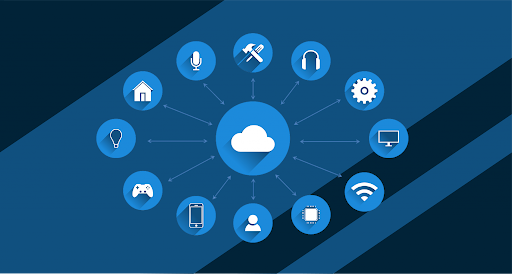
At its core, cloud computing means storing and accessing data, software, and services over the internet rather than on a local computer or physical server in your office. Instead of buying expensive hardware and installing software on each device, you access everything through a web browser or app and the computing resources are hosted and maintained by a third-party provider.
For small businesses specifically, this model is particularly valuable because it removes the need to manage infrastructure. You pay for what you use, scale up or down based on demand, and let the provider handle security updates, maintenance, and uptime.
The Three Main Types of Cloud Services
Most cloud offerings fall into one of three categories. SaaS, or Software as a Service, refers to ready-to-use applications accessed via a browser tools like Google Workspace, QuickBooks Online, or Slack. This is the most common entry point for small businesses. PaaS, or Platform as a Service, provides a development environment in the cloud and is most relevant when your business builds or customizes apps. IaaS, or Infrastructure as a Service, offers virtual servers and storage on demand, with Amazon Web Services, Google Cloud, and Microsoft Azure being the main providers.
Most small businesses primarily use SaaS tools, sometimes combined with IaaS for storage or backup needs.
Key Benefits of Cloud Computing for Small Business
The appeal of cloud computing for small businesses goes well beyond cost savings. The shift typically touches nearly every part of how a business operates day to day.
Lower Upfront Costs and Predictable Spending
Traditional IT infrastructure generally required purchasing servers, licenses, and hardware often involving thousands of dollars before a business even launched a product. Cloud services typically operate on a subscription or pay-as-you-go model. This means smaller, predictable monthly expenses rather than large capital investments, which is especially important for cash-flow-conscious small businesses.
Remote Access and Team Flexibility
Cloud-based tools allow employees to work from any device with an internet connection. Tools like Google Workspace, Microsoft 365, and project management platforms make real-time collaboration possible without being in the same office, a major advantage as hybrid and remote work arrangements have grown. Many businesses combine cloud platforms with AI see how tools like ChatGPT are used in real workflows.
Automatic Updates and Reduced Maintenance
With cloud services, software updates and security patches are typically applied automatically by the provider. Small businesses that lack a dedicated IT team generally benefit from this the most — there is no need to manually manage updates or worry about running outdated software with known security vulnerabilities.
Improved Data Backup and Disaster Recovery
Data stored in the cloud is typically backed up across multiple geographic locations by the provider. In the event of hardware failure, natural disaster, or accidental deletion, recovery is generally much faster than with traditional on-premise backup setups. This is one of the more underappreciated advantages for small businesses.
Easy Scalability
Cloud computing allows you to scale storage, users, or computing power up or down based on current needs. A small business that grows from 5 to 50 employees can typically add seats to a SaaS platform within minutes, without purchasing new hardware or renegotiating software licenses.
Enhanced Security When Properly Configured
Major cloud providers invest heavily in security infrastructure far beyond what most small businesses could afford independently. Features like multi-factor authentication, data encryption in transit and at rest, and compliance certifications such as SOC 2 or ISO 27001 are generally included or available across leading platforms. That said, security also depends on how you configure access and manage user accounts on your end.
Potential Drawbacks to Consider
Cloud computing for small business is not without limitations, and understanding these upfront helps you plan more effectively.
Dependence on Internet Connectivity
Cloud tools generally require a reliable internet connection. If your business operates in an area with inconsistent connectivity, or if your internet goes down, access to cloud-based files and applications may be interrupted. Some platforms offer limited offline functionality, but this varies by provider.
Subscription Costs Can Add Up Over Time
While cloud computing reduces upfront costs, subscription fees accumulate month after month. A business running five or six cloud tools simultaneously may find total monthly costs exceeding what equivalent one-time software licenses would have cost. Regularly auditing your active subscriptions is generally a smart practice to avoid paying for unused services.
Data Privacy and Compliance
Businesses that handle sensitive data such as medical records, financial information, or personal customer data need to verify that their cloud provider meets relevant compliance standards like HIPAA, PCI-DSS, or GDPR. Not every cloud service is compliant by default, and this matters significantly in regulated industries.
Vendor Lock-In Risk
Migrating away from a cloud provider can sometimes be complex or costly, particularly if your data is stored in proprietary formats or deeply integrated with a platform’s ecosystem. It is generally worth reviewing data export options before committing to any long-term vendor relationship.
Cloud Computing Costs for Small Business: What to Expect
Understanding cloud computing costs helps small businesses budget appropriately and avoid surprise expenses. Pricing varies significantly by service type and number of users.
For a small team of 10 people using a core set of cloud tools a productivity suite, storage, video conferencing, and accounting software monthly costs typically range from roughly $200 to $600 depending on the tiers selected. Many cloud providers also offer free tiers with limited features that can serve as a reasonable starting point for very small teams.
| Tool | Typical Cost | Best For |
| Google Workspace | $6 – $18 per user/month | Email, docs, collaboration |
| Microsoft 365 Business | $6 – $22 per user/month | Office apps, email, Teams |
| QuickBooks Online | $30 – $200/month | Accounting, invoicing |
| Xero | $15 – $78/month | Accounting, bank reconciliation |
| Dropbox Business | $15 – $24 per user/month | File storage, sharing |
| Zoom | $0 – $20 per user/month | Video meetings |
| Slack | $0 – $15 per user/month | Team messaging |
| HubSpot CRM | $0 – $90 per user/month | Customer management |
| AWS S3 | ~$0.023 per GB/month | Storage, backups |
| Shopify | $29 – $299/month | Ecommerce store management |
Cloud Computing vs. Traditional On-Premise IT
For businesses weighing whether to move to the cloud or stick with on-premise infrastructure, the comparison generally comes down to flexibility, cost structure, and how much internal IT capability you have. For most small businesses with fewer than 50 employees, cloud computing is typically the more practical and cost-effective option.
| Factor | Cloud Computing | On-Premise IT |
| Upfront cost | Low – subscription-based | High – hardware and licenses |
| Scalability | Rapid, on-demand | Requires hardware purchase |
| Maintenance | Managed by provider | Requires IT staff or vendor |
| Remote access | Built-in, any device | Requires VPN or special setup |
| Customization | Limited to provider options | Highly customizable |
| Internet dependency | Required for most functions | Can work without internet |
| Disaster recovery | Generally built-in | Requires separate planning |
| Long-term cost | Ongoing subscriptions | Lower after initial investment |
Popular Cloud Tools Small Businesses Actually Use
Productivity and Collaboration
Google Workspace and Microsoft 365 are the two dominant productivity platforms for small businesses. Google Workspace is a strong choice for teams already in the Google ecosystem, while Microsoft 365 is often preferred in industries that rely heavily on Office-format documents. Both include email, document editing, file storage, and video meeting tools under a single subscription.
Accounting and Finance
QuickBooks Online is the most widely used cloud accounting software for small businesses in the US. FreshBooks is popular with freelancers and service-based businesses for its invoicing features. Xero is a strong alternative with a clean interface and good third-party integrations.
Customer Relationship Management
HubSpot CRM offers a generous free tier and scales well as a business grows. Zoho CRM is an affordable option with strong automation features. Salesforce Essentials is the entry-level tier of the industry-leading CRM platform and is worth considering for sales-focused teams.
Communication and Meetings
Slack remains one of the most popular team messaging platforms for small businesses. Zoom is widely used for video calls with clients and remote teams. Microsoft Teams, included with Microsoft 365, combines chat, meetings, and file collaboration in one place.
How to Set Up Cloud Computing for Your Small Business?
Getting started with cloud computing for a small business does not require a technical background. The process is typically manageable if approached step by step.
Step 1: Audit Your Current Tools and Pain Points
Begin by listing the software your business currently uses, what is working well, and where friction exists. Identify which areas, collaboration, storage, accounting, and communication, would benefit most from a cloud solution. This prevents adopting tools you do not actually need.
Step 2: Choose a Core Productivity Platform First
For most small businesses, the first cloud move is replacing local email and office software with Google Workspace or Microsoft 365. These platforms serve as the foundation for other tools, making them the logical starting point.
Step 3: Add Specialized Tools Based on Actual Need
Once your core platform is in place, add dedicated tools for accounting, CRM, project management, or communication based on your business’s specific requirements. Prioritize platforms that integrate with your productivity suite to avoid siloed data and duplicate manual work.
Step 4: Set Up Security Practices from Day One
Enable multi-factor authentication across all accounts immediately. Consider a password manager like 1Password or Bitwarden to help your team securely manage credentials. Review user permissions carefully and make sure departing employees are offboarded promptly so they lose access to company accounts.
Step 5: Migrate Existing Data in Stages
Move files, contacts, and records to the cloud gradually rather than all at once. Most platforms offer guided migration tools or detailed support documentation. Verify data integrity after each phase before removing local copies.
Step 6: Train Your Team Before Expecting Full Adoption
Even intuitive cloud tools have a learning curve. Short onboarding sessions and access to vendor help documentation can prevent adoption resistance and ensure tools are actually used as intended.
Cloud Security Best Practices for Small Businesses
Security is one of the most common concerns when small businesses consider cloud computing. In most cases, a properly configured cloud environment is more secure than a typical on-premise setup but that configuration requires deliberate attention.
Enable Multi-Factor Authentication Everywhere
MFA adds a second verification step beyond a password before granting access. Enabling it across all cloud accounts significantly reduces the risk of unauthorized access, even if a password is compromised through phishing or a breach elsewhere.
Apply the Principle of Least Privilege
Give users access only to the data and tools they need for their specific role. Review and update permissions regularly, particularly when staff changes occur. Over-permissioning is one of the most common and preventable security mistakes in cloud environments.
Understand the Shared Responsibility Model
Cloud providers secure the underlying infrastructure, but responsibility for data classification, user access management, and application configuration generally falls on you as the business owner. Reviewing your provider’s shared responsibility documentation helps clarify where their obligations end and yours begin.
Keep a Secondary Backup of Critical Data
Even with built-in cloud redundancy, maintaining a secondary backup either in a separate cloud service or in an encrypted local location is generally considered a sound practice for critical business data. Automated backup tools can handle this without requiring manual effort.
Frequently Asked Questions
Is cloud computing safe for small business data?
Generally, yes when properly configured. Major cloud providers implement enterprise-grade security infrastructure that most small businesses could not replicate independently. The most common security risks stem from weak passwords, poor access management, or misconfigured permissions rather than failures at the provider level.
What is the best cloud service for a small business just starting out?
Google Workspace and Microsoft 365 are typically the recommended starting points, as they cover email, file storage, document editing, and video meetings under a single subscription. From there, adding QuickBooks Online or Xero for accounting and Slack or Teams for communication covers most small business needs.
How much does cloud computing cost for a small business?
Costs vary based on the tools selected and the number of users. A 10-person team using a productivity suite, cloud storage, accounting software, and video conferencing can typically expect to spend between $200 and $600 per month across all subscriptions. Many core tools also offer functional free tiers for very small teams.
Can I run a small business entirely on cloud-based tools?
In most cases, yes. Many businesses operate entirely on cloud-based tools handling email, file storage, accounting, customer management, and internal communication without any on-premise servers. Exceptions may include businesses with industry-specific software that has not yet moved to the cloud.
What happens to my data if a cloud provider goes out of business?
Reputable cloud providers typically provide advance notice and data export options before discontinuing a service. To minimize risk, it is advisable to regularly export or back up critical data and to choose providers with established track records. Reviewing a provider’s data export policies before signing up is a sound precaution.
Conclusion
Cloud computing for small businesses has matured into a reliable, accessible, and genuinely cost-effective approach to managing day-to-day operations. The benefits, lower IT costs, remote accessibility, automatic updates, built-in backup, and easy scalability generally outweigh the limitations for most small and growing businesses.
The most practical path is typically to start with a core productivity platform, layer in specialized tools as needs arise, and invest time upfront in setting up proper security practices. Cloud computing for small businesses does not require a large budget or deep technical knowledge to get started and for many small businesses, even modest adoption can meaningfully improve how teams work and how data is managed.
If you are evaluating cloud computing for your small business, start with a free trial of Google Workspace or Microsoft 365, audit your current software costs, and identify the one or two areas where a cloud tool would make the biggest immediate difference. From there, the transition is typically more straightforward than it may first appear.