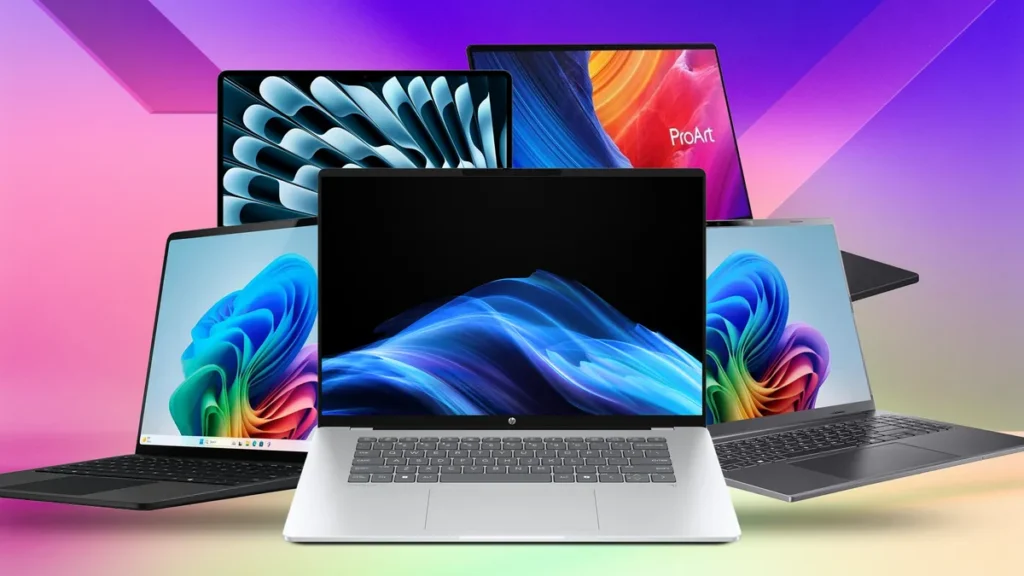
Looking for serious MacBook Pro alternatives in 2026? You’re not alone. Apple’s silicon is impressive, but Windows and Linux laptops have caught up, and in many cases, pulled ahead on price, ports, GPU power, and upgradability. Whether you edit 8K footage, ship code, render 3D scenes, or just want a premium laptop without paying the Apple tax, the options are better than ever.
We’ve tested specs, benchmarks, and real-world workflows to shortlist the 9 best MacBook Pro alternatives across budgets and use cases. Each pick targets a specific buyer, creators, business users, gamers, developers, students, and workstation pros. Below, you’ll find performance data, display details, battery life, and clear “best for” guidance so you can pick the right machine on the first try.
Quick Comparison: 9 MacBook Pro Alternatives at a Glance
Before we get into the details, here’s a side-by-side look at every laptop on our list of MacBook Pro alternatives. Use it as a fast filter, then scroll to the section that matches your workflow.
| # | Laptop | Best For | Display | Battery | Starting Focus |
|---|---|---|---|---|---|
| 1 | Dell XPS 14 (2026) | Creative pros | 14″ 2.8K OLED 120Hz | Up to 40h video | Premium all-rounder |
| 2 | Lenovo ThinkPad X1 Carbon Gen 13 | Business users | 14″ 2.8K OLED 120Hz | 20h+ | Security, typing |
| 3 | Razer Blade 14 (2025) | Gamers, 3D artists | 14″ QHD+ 240Hz | 10h | RTX 4070 power |
| 4 | Asus Zenbook S 16 | Media editors | 16″ 3K OLED 120Hz | 18h | Thin OLED rival |
| 5 | Lenovo Yoga Pro 9i Gen 10 | Video/3D creators | 16″ Mini-LED 165Hz | 12h | RTX + 64GB RAM |
| 6 | Surface Laptop 7th Ed. | Mac switchers | 13.8/15″ LCD 120Hz | 20h+ | ARM efficiency |
| 7 | Framework Laptop 16 (2025) | Developers, tinkerers | 16″ 2.5K 165Hz | ~8h | Modular upgrades |
| 8 | HP OmniBook Ultra 14 | Students, mobile pros | 14″ 2.8K OLED | 25h+ | Battery king |
| 9 | Dell Pro Max 18 Plus | Workstation users | 18″ 4K 120Hz | ~6h | Desktop replacement |
1. Dell XPS 14 (2026): The Premium All-Rounder for Creative Professionals
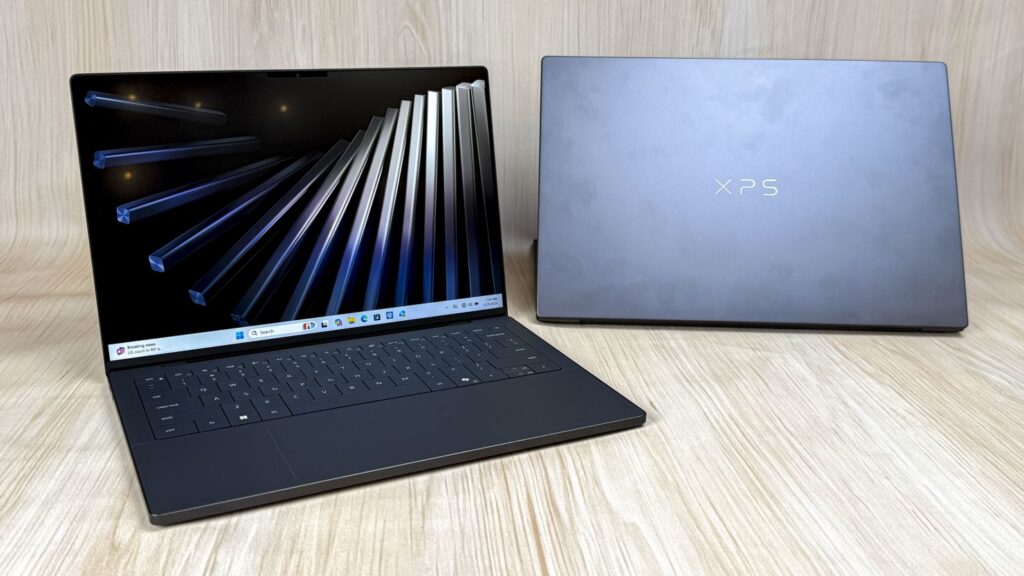
The Dell XPS 14 is the MacBook Pro alternative we recommend most often when someone wants Apple-grade build quality without macOS. It’s thin (14.6mm), light (3 lb), and the InfinityEdge chassis still turns heads four years after the redesign.
Performance, Display, and Who It’s Best For
Under the hood, the 2026 XPS 14 runs Intel’s Core Ultra Series 3 (up to the X9 388H, 16 cores) paired with Intel Arc B390 graphics. Geekbench 6 scores hit 2,867 single-core and 16,927 multi-core, while a 4K-to-1080p Handbrake export finishes in about 4:30, close to M4 Pro territory for most creative tasks.
The 2.8K tandem OLED panel covers 89.7% of DCI-P3 with 20–120Hz VRR and 500 nits of brightness. Battery life reaches 31 hours of Netflix or 40 hours of local video playback. Configure it with 64GB LPDDR5X-9600 and a 4TB PCIe Gen5 SSD, and you have a true workstation in a sleeve-friendly shell.
Best for: Photographers, designers, and AI-assisted creatives who want OLED color accuracy and all-day battery.
2. Lenovo ThinkPad X1 Carbon Gen 13 Aura Edition: The Business Powerhouse
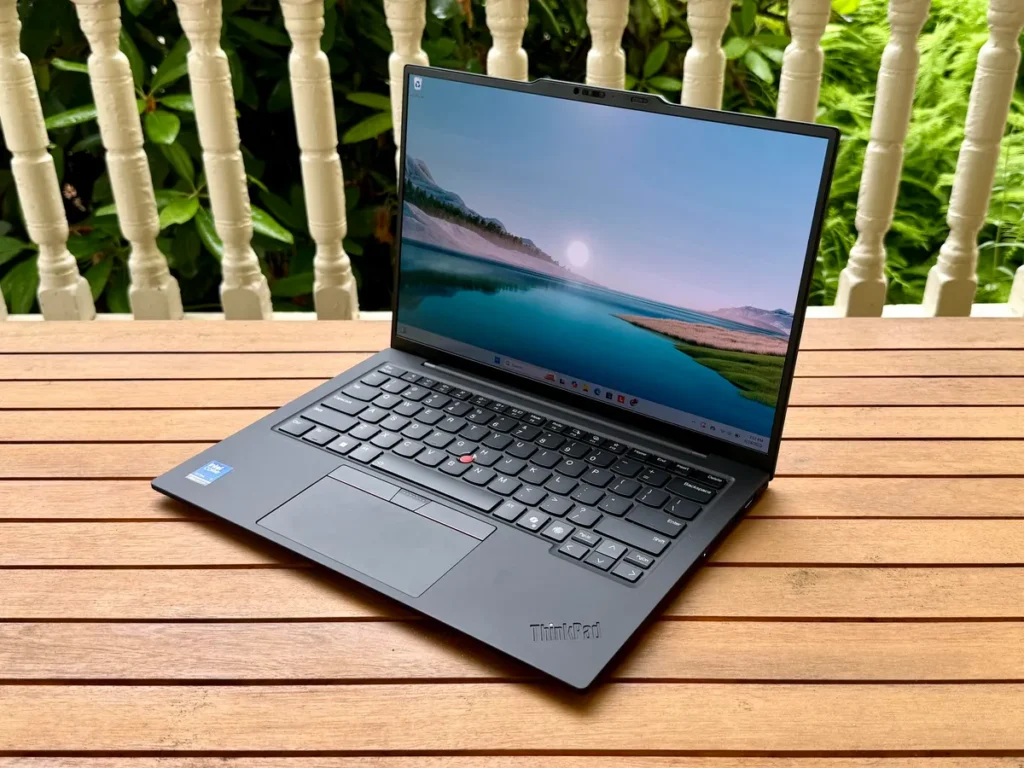
If you live in spreadsheets, Teams calls, and airport lounges, the ThinkPad X1 Carbon Gen 13 is the strongest business-focused MacBook Pro alternative on the market. The Aura Edition adds Lenovo’s smart-collaboration tuning on top of Intel’s Core Ultra 200V platform.
| Spec | Detail |
|---|---|
| CPU | Intel Core Ultra 200V series |
| RAM / Storage | Up to 32GB LPDDR5X / 2TB SSD |
| Display | 14″ 2.8K OLED, 120Hz |
| Battery | 20+ hours mixed use |
| Durability | MIL-STD-810H tested |
The carbon-fiber lid weighs just 2.2 lb, the keyboard is still the best in the industry, and the TrackPoint nub means you barely need to leave the home row. vPro security, IR camera, and human-presence detection make IT departments happy.
Best for: Executives, consultants, and enterprise users who prioritize typing, security, and weight over raw GPU power.
3. Razer Blade 14 (2025): The Best Pick for Gamers and GPU-Hungry Creators
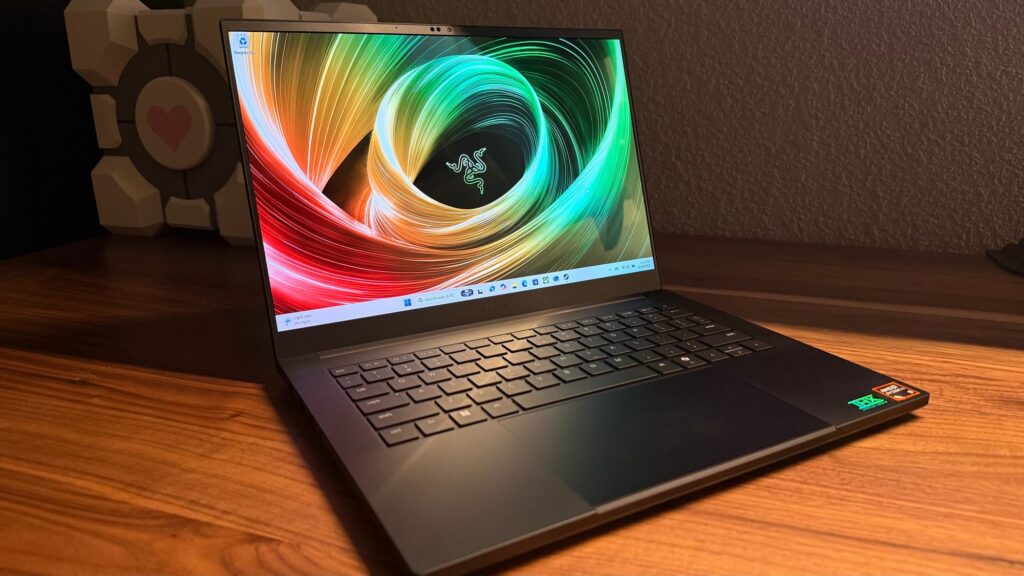
Apple’s M-series chips handle Final Cut beautifully, but they can’t touch a discrete RTX GPU for gaming, Blender, or DaVinci Resolve. That’s where the Razer Blade 14 comes in as a focused MacBook Pro alternative for GPU work.
It pairs AMD’s Ryzen AI 9 HX 370 with an Nvidia RTX 4070 (140W TGP) inside a 14-inch CNC aluminum chassis that’s barely thicker than the XPS. The QHD+ 240Hz display is calibrated out of the box and covers 100% DCI-P3, great for both Apex Legends and color grading.
Key strengths:
- 1TB Gen4 SSD, 16–32GB DDR5
- Vapor-chamber cooling keeps sustained GPU clocks high
- ~10 hours of light battery use, rare for a gaming machine
- Studio drivers for creator apps
Best for: Streamers, indie game devs, and 3D artists who need CUDA acceleration in a portable shell.
4. Asus Zenbook S 16: A Sleek, OLED-Powered MacBook Pro Rival
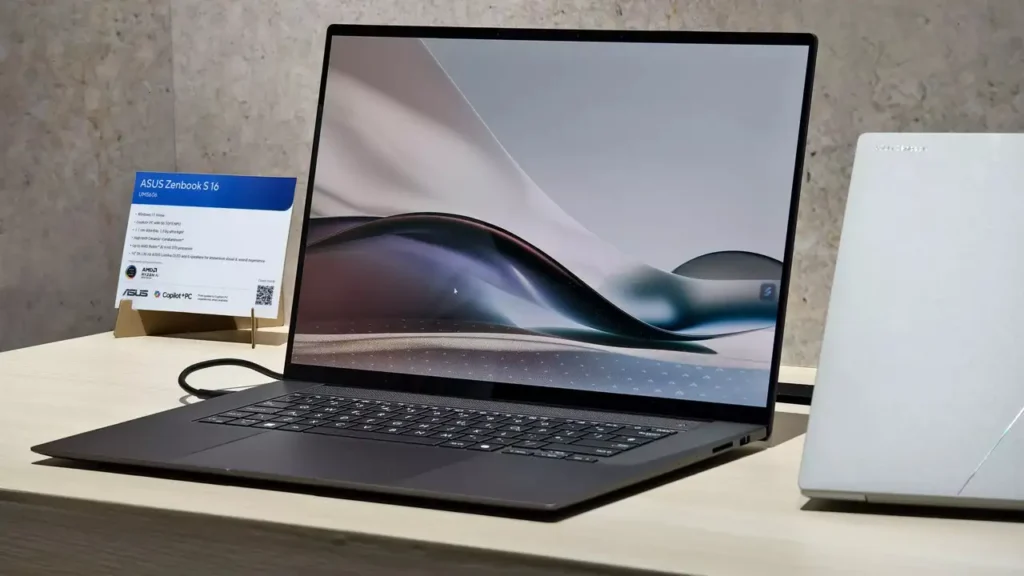
The Zenbook S 16 is what happens when Asus decides to out-thin the MacBook Pro 16. At just 2.6 lb and 1.1 cm thick, it feels closer to an iPad Pro with a keyboard than a 16-inch laptop, yet it still packs Intel’s Core Ultra 9 288V and Arc 140V graphics.
The star is the 16-inch 3K OLED running at 120Hz with full DCI-P3 coverage and Pantone validation. Photographers and video editors will appreciate the 0.2ms response time and HDR True Black 500 certification.
Other highlights:
- 32GB LPDDR5X RAM and 2TB SSD
- Ceraluminum lid (ceramic-aluminum hybrid) resists scratches
- 18 hours of mixed-use battery
- Thunderbolt 4, HDMI 2.1, full-size SD card reader
Best for: Mobile creators who want a 16-inch OLED MacBook Pro alternative without the Mac price.
5. Lenovo Yoga Pro 9i Gen 10 Aura Edition: The Content Creator’s Dream
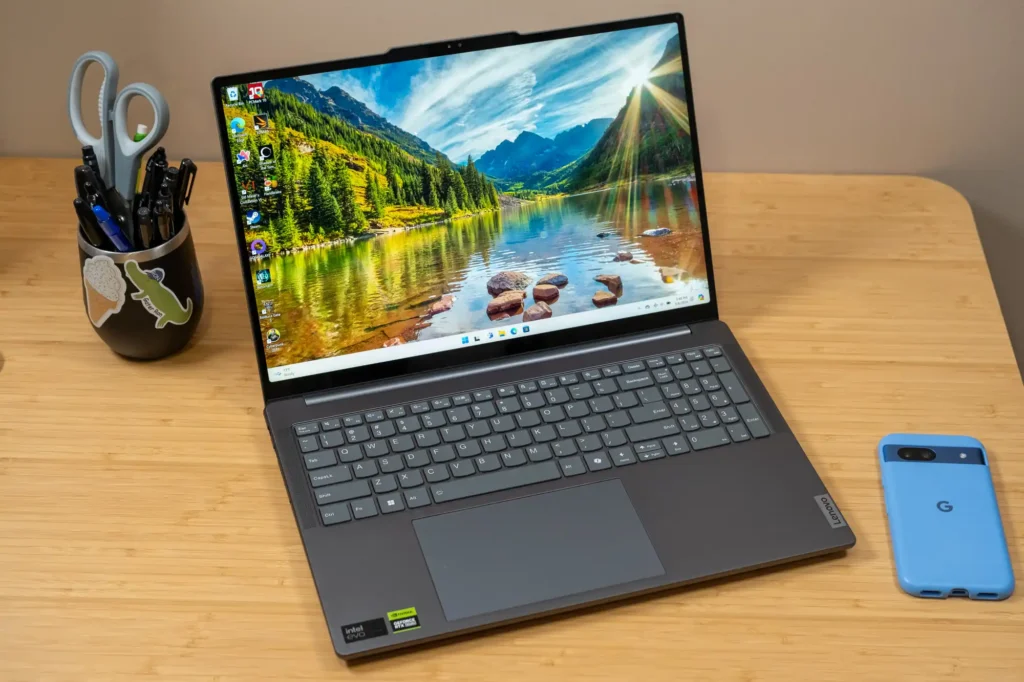
The Yoga Pro 9i Gen 10 is the MacBook Pro alternative we point creators to when they want a desktop-class experience in a 16-inch laptop. It runs Intel’s Core Ultra 9 alongside an Nvidia RTX 4070, with up to 64GB of RAM and a 2TB SSD, enough for 8K timelines and complex 3D scenes.
The 16-inch Mini-LED display hits 165Hz with 1,200 nits peak HDR brightness and per-zone local dimming. It’s brighter than any current MacBook Pro and arguably better for HDR mastering.
| Feature | Yoga Pro 9i Gen 10 | MacBook Pro 16 (M4 Pro) |
|---|---|---|
| GPU | RTX 4070 | M4 Pro integrated |
| Max RAM | 64GB | 48GB |
| Display | Mini-LED 165Hz, 1200 nits | mini-LED 120Hz, 1000 nits |
| Card reader | Full SD | SDXC |
Lenovo’s X Power tuning shifts wattage between CPU and GPU based on the app you’re using. Battery life sits around 12 hours for productivity.
Best for: Video editors, motion designers, and Blender artists.
6. Microsoft Surface Laptop 7th Edition: The Closest Mac-Like Windows Experience
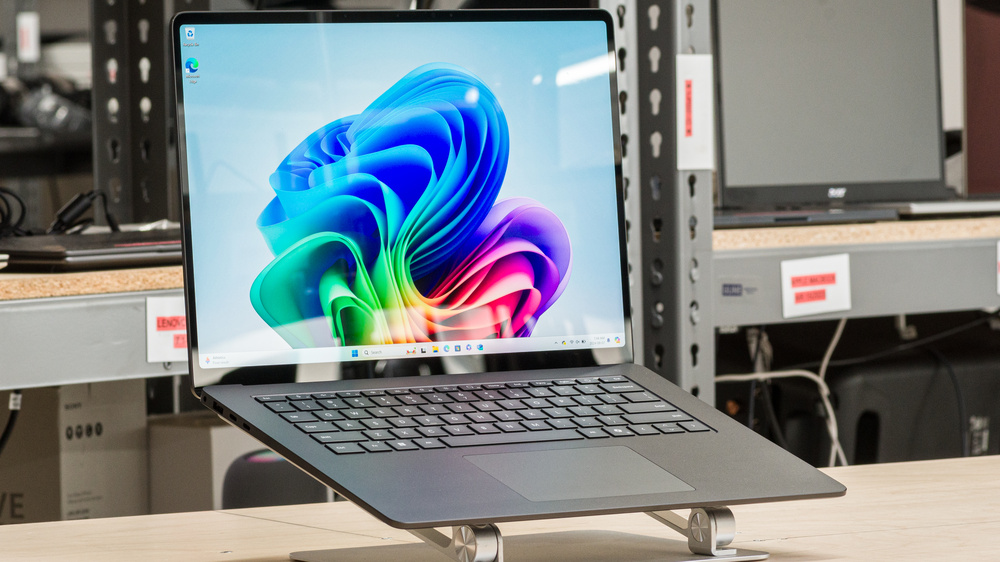
If you’re switching from a MacBook Pro and want the smallest learning curve, the Surface Laptop 7th Edition is the most familiar-feeling MacBook Pro alternative running Windows. The aluminum unibody, precision haptic trackpad, and quiet fans all echo Apple’s playbook.
It runs Qualcomm’s Snapdragon X Elite or X Plus, ARM chips that, like Apple Silicon, deliver fanless-grade efficiency. Expect 20+ hours of real-world battery life and instant wake from sleep.
What we like:
- 13.8″ or 15″ LCD at 120Hz with 600 nits
- 16–64GB RAM, up to 1TB SSD
- Windows 11 on ARM now runs most x86 apps via Prism emulation
- Copilot+ NPU for on-device AI features
It’s not the most powerful pick on this list, but for writers, students, and knowledge workers, it’s the cleanest cross-platform jump. Some buyers comparing Windows laptops also spend time deciding whether upgrading an older MacBook still makes sense, especially when evaluating long-term performance and battery life.
Best for: Mac switchers and anyone prioritizing battery and silence.
7. Framework Laptop 16 (2025): The Best Choice for Developers and Tinkerers
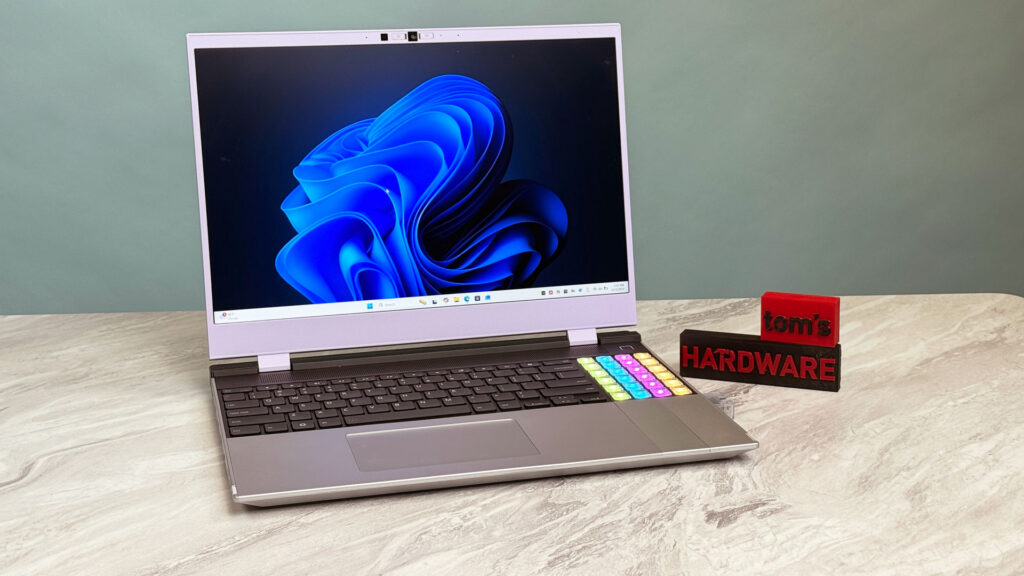
No MacBook Pro alternative roundup is complete without the Framework Laptop 16. It’s the only mainstream 16-inch laptop you can take apart with a single screwdriver, swap the GPU module, change the keyboard layout, and add custom expansion cards for the ports you actually use.
The 2025 refresh runs AMD’s Ryzen AI 9 HX 370 with an optional RTX 4070 graphics module. RAM and SSD are user-upgradable (no soldering), and Linux support is first-class, Fedora and Ubuntu work out of the box.
Why developers love it:
- Modular expansion bay for GPU or extra storage
- Hot-swappable USB-C/USB-A/HDMI/Ethernet cards
- Repair guides published by the manufacturer
- 2.5K 165Hz matte display, easy on the eyes during long coding sessions
It’s heavier than the XPS 14 and battery life is average (~8 hours), but the long-term value is unmatched.
Best for: Software engineers, sysadmins, and right-to-repair fans.
8. HP OmniBook Ultra 14: A Battery-Life Champion for Students and Professionals
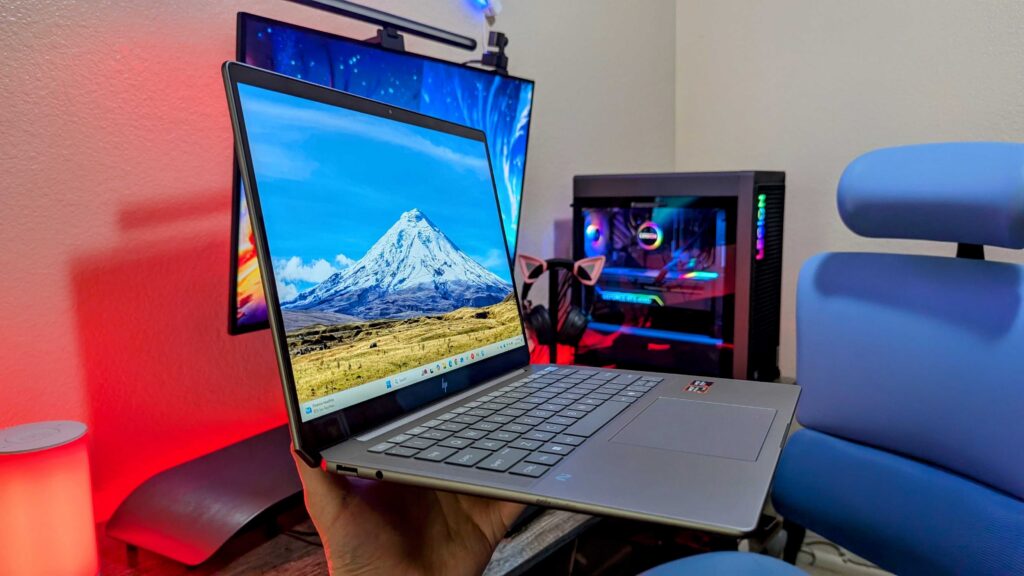
The HP OmniBook Ultra 14 wins our “plug-it-in-once-a-week” award. With 25+ hours of real battery life, it outlasts even the MacBook Pro 14 in mixed productivity use, making it a standout MacBook Pro alternative for students and traveling professionals.
It pairs Intel’s Core Ultra 7 or 9 with 32GB LPDDR5X RAM, a 2TB SSD, and a 14-inch 2.8K OLED. The chassis is magnesium-aluminum, weighs 3.1 lb, and includes a 9MP webcam with hardware shutter.
Quick highlights:
- AI Companion app handles transcription and summaries on-device
- Two Thunderbolt 4 ports plus USB-A and HDMI
- Poly Studio mics filter background noise on calls
- Starts noticeably cheaper than equivalent MacBook Pro configs
Best for: College students, field reporters, and consultants who can’t always find an outlet.
9. Dell Pro Max 18 Plus: The Desktop-Replacement Workstation
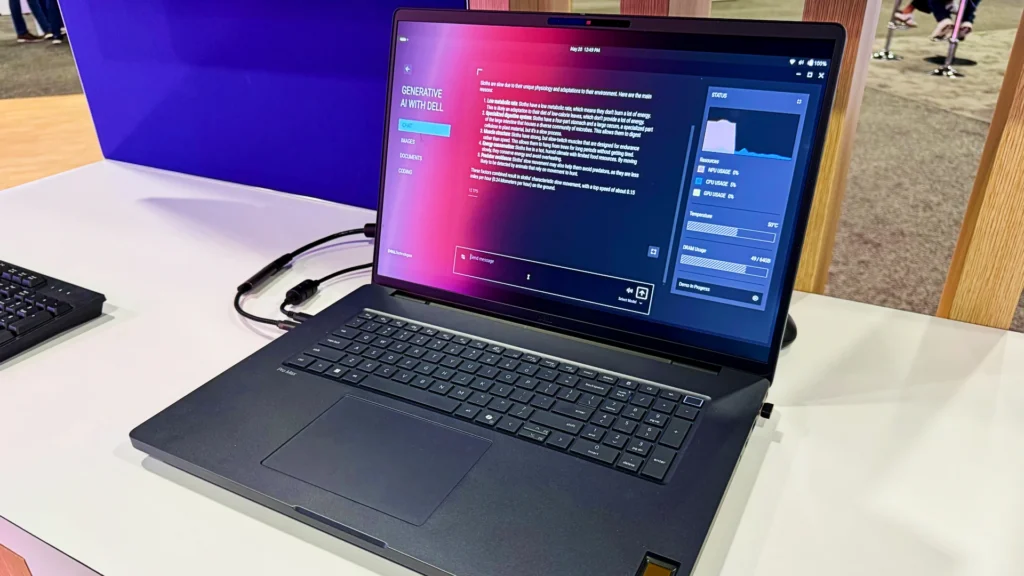
When the MacBook Pro 16 isn’t enough, the Dell Pro Max 18 Plus is the MacBook Pro alternative that crosses into workstation territory. This is a mobile rendering rig, not a coffee-shop laptop.
Specs read like a desktop tower:
| Component | Configuration |
|---|---|
| CPU | Intel Xeon (mobile workstation class) |
| GPU | Nvidia RTX 5000 Ada (16GB VRAM) |
| RAM | Up to 128GB ECC DDR5 |
| Storage | Up to 8TB NVMe (RAID-capable) |
| Display | 18″ 4K 120Hz, 100% DCI-P3 |
It’s ISV-certified for SolidWorks, AutoCAD, Revit, and DaVinci Resolve. Battery life is short (~6 hours under load), and it weighs over 7 lb, but for engineers running CFD simulations or VFX artists rendering scenes on-set, that’s a fair trade.
Best for: CAD engineers, VFX studios, and data scientists training local models.
How to Choose the Right MacBook Pro Alternative for Your Workflow
Picking the best MacBook Pro alternative comes down to matching the laptop to the job, not chasing the highest spec sheet. Here’s a quick decision framework we use with clients:
- Pick OLED + Intel Arc (XPS 14, Zenbook S 16, OmniBook Ultra) if color accuracy and portability matter most.
- Pick RTX-powered (Razer Blade 14, Yoga Pro 9i, Framework 16) if you render, game, or train small ML models.
- Pick ARM/Snapdragon (Surface Laptop 7) if battery life and silence beat raw horsepower.
- Pick a workstation (Dell Pro Max 18 Plus) only if you’re running ISV-certified software daily.
- Pick ThinkPad or HP if typing comfort, MIL-STD durability, or fleet management drive the purchase.
Also consider total cost of ownership. Framework’s upgradability can stretch a laptop’s life to 6+ years. Apple’s resale value remains strong, but Windows MacBook Pro alternatives often cost 20–30% less up front for similar specs.
Frequently Asked Questions
Can a MacBook Pro alternative run Final Cut Pro or Logic Pro?
No. Final Cut Pro and Logic Pro are macOS-exclusive. But, DaVinci Resolve, Premiere Pro, Ableton Live, and FL Studio all run on Windows MacBook Pro alternatives, often with better GPU acceleration thanks to RTX cards.
Are ARM-based Windows laptops a true MacBook Pro alternative?
Yes, for most workflows. Snapdragon X Elite chips match M-series efficiency, and Windows 11’s Prism emulator now runs the majority of x86 apps. Native ARM support has expanded to Chrome, Photoshop, Slack, and Visual Studio. Heavy plug-in ecosystems (audio VSTs, niche CAD tools) may still struggle.
Do MacBook Pro alternatives support iMessage and AirDrop?
Not natively, but Microsoft Phone Link, Intel Unison, and apps like LocalSend cover most cross-device file transfer and texting needs if you keep an iPhone.
Which MacBook Pro alternative has the best resale value?
ThinkPad X1 Carbon and Dell XPS series tend to hold value best in the secondary market, typically retaining 45–55% after three years.
Is it worth waiting for the next MacBook Pro refresh instead?
If you need a laptop now, no. The MacBook Pro alternatives in this list match or beat current M4 Pro performance in GPU, RAM ceiling, and display brightness, and they’re shipping today.
Final Thoughts: Which MacBook Pro Alternative Should You Buy?
There’s no single best MacBook Pro alternative, there’s the best one for your workflow. For most creative pros, the Dell XPS 14 (2026) hits the sweet spot of design, OLED quality, and battery. Gamers and 3D artists should grab the Razer Blade 14. Developers who value freedom will love the Framework Laptop 16. And if you simply want a Mac-like Windows machine, the Surface Laptop 7th Edition is the easiest switch.
Whichever you choose, the 2026 lineup proves you no longer have to compromise on power, ports, or price to step away from Apple.
Frequently Asked Questions About MacBook Pro Alternatives
What is the best MacBook Pro alternative for creative professionals in 2026?
The Dell XPS 14 (2026) is the top MacBook Pro alternative for creatives, offering Intel Core Ultra Series 3, a 2.8K OLED display with 89.7% DCI-P3 coverage, and 40 hours of video battery life. It delivers near M4 Pro performance in creative tasks while maintaining premium portability.
Can Windows laptops match MacBook Pro performance for video editing and 3D rendering?
Yes. Windows MacBook Pro alternatives with discrete RTX GPUs—like the Razer Blade 14 (RTX 4070) and Lenovo Yoga Pro 9i (RTX 4070)—often exceed M-series integrated graphics in Blender, DaVinci Resolve, and 3D rendering. The Yoga Pro 9i specifically supports 64GB RAM and Mini-LED 165Hz displays for professional color work.
How long does the HP OmniBook Ultra 14 last on a single charge compared to MacBook Pro?
The HP OmniBook Ultra 14 delivers 25+ hours of real-world battery life, outlasting the MacBook Pro 14 in mixed productivity use. Its Intel Core Ultra and 2.8K OLED display make it the best MacBook Pro alternative for students and traveling professionals who need all-day power without frequent charging.
Are ARM-based Windows laptops like the Surface Laptop 7th Edition true MacBook Pro alternatives?
Yes. The Surface Laptop 7th Edition runs Snapdragon X Elite chips with ARM efficiency matching Apple Silicon, delivering 20+ hours of battery life and instant wake. Windows 11’s Prism emulator now runs most x86 apps, making it the closest Mac-like Windows experience for switchers.
What MacBook Pro alternative is best for developers who want upgradable components?
The Framework Laptop 16 (2025) is the only mainstream 16-inch MacBook Pro alternative with modular upgrades—user-replaceable RAM, SSD, GPU module, and hot-swappable expansion ports. It offers superior long-term value and repair freedom for software engineers and tinkerers.
Do MacBook Pro alternatives support file sharing and messaging with iPhone users?
Not natively, but Windows MacBook Pro alternatives offer Microsoft Phone Link, Intel Unison, and third-party apps like LocalSend for cross-device file transfer and texting. These cover most everyday use cases for Mac switchers maintaining multi-device ecosystems.